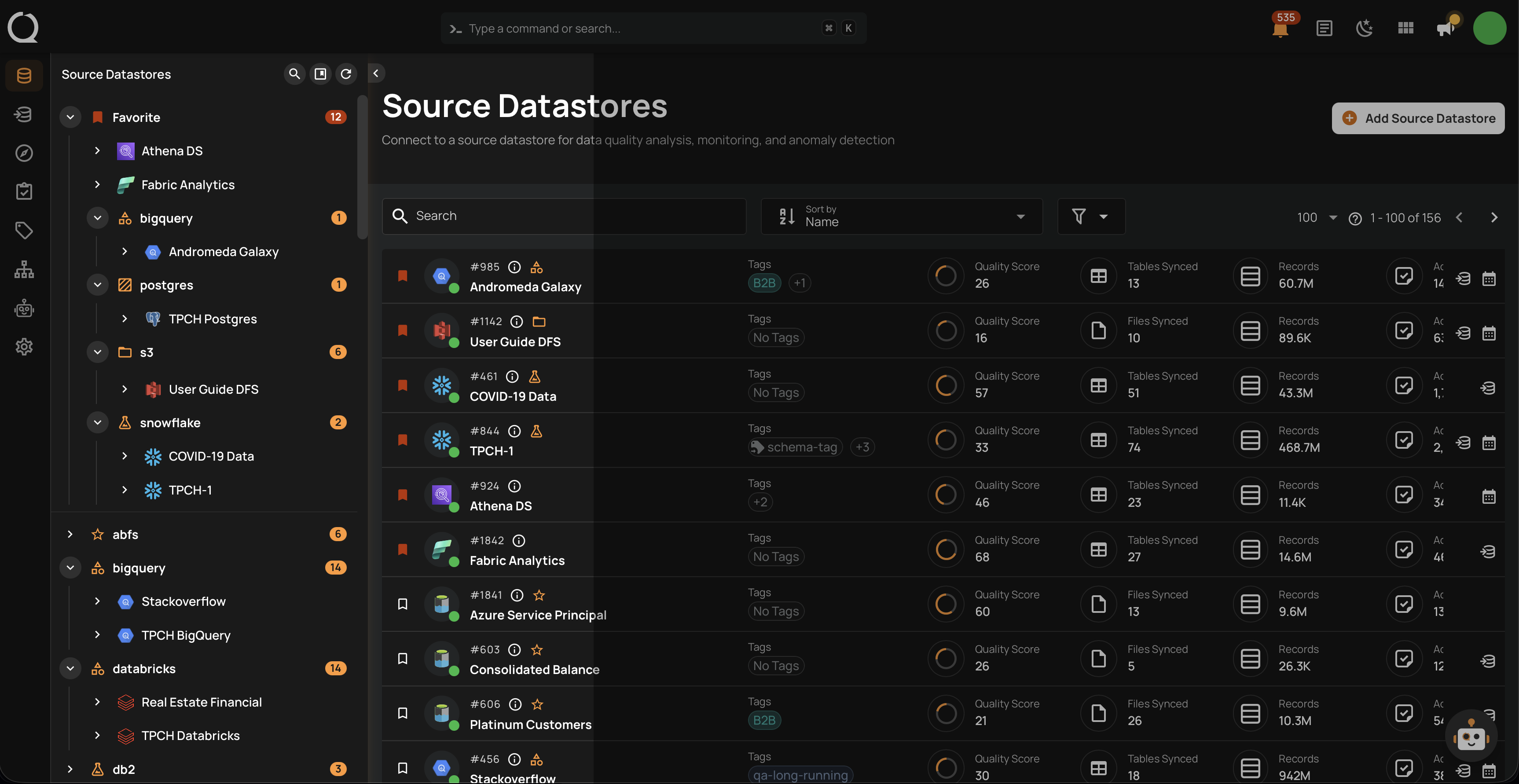
Datastore Grouping is a feature in Qualytics that allows you to organize your datastores into custom groups within the tree view. Instead of browsing a flat list of datastores, you can create meaningful categories — such as by environment, team, domain, or priority — making it easier to locate and manage your data sources.
Why Datastore Grouping Matters
As the number of datastores in your workspace grows, finding the right datastore becomes increasingly difficult. Datastore Grouping solves this by letting you:
Organize datastores visually: Create groups that reflect your team's structure, data domains, or business units.
Navigate faster: Collapse and expand groups in the tree view to focus on the datastores you need.
Customize with icons: Assign distinct icons to each group for quick visual identification.
Filter by group: Use group-based filtering on the datastore listing page to narrow down results.