Unassign a Datastore Group
This guide walks you through the steps to remove a datastore from its current group.
Note
You need Editor permission on the datastore to remove it from a group.
Steps
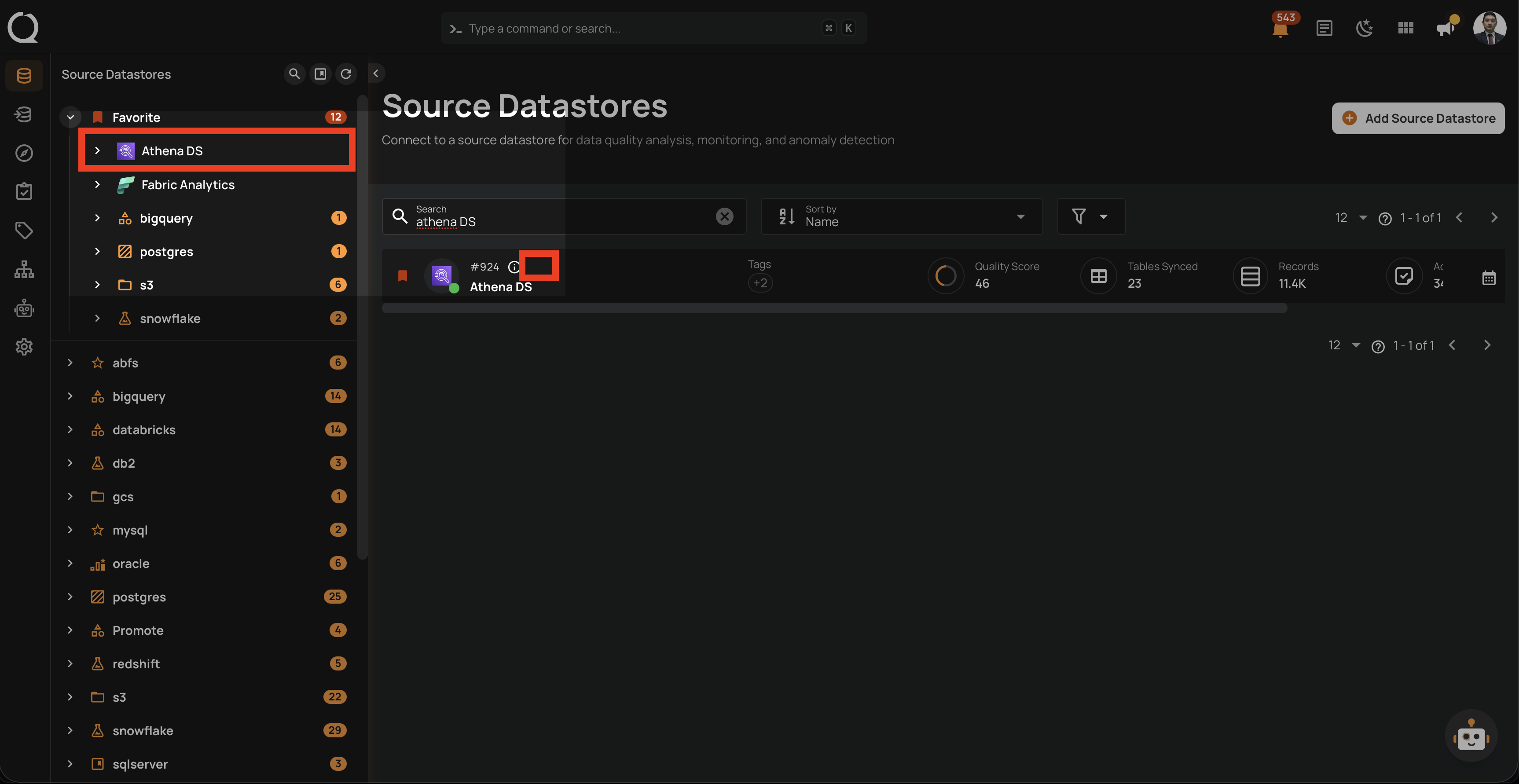
Step 1: In the tree view, hover over the datastore you want to remove from its group. An assign menu icon will appear.
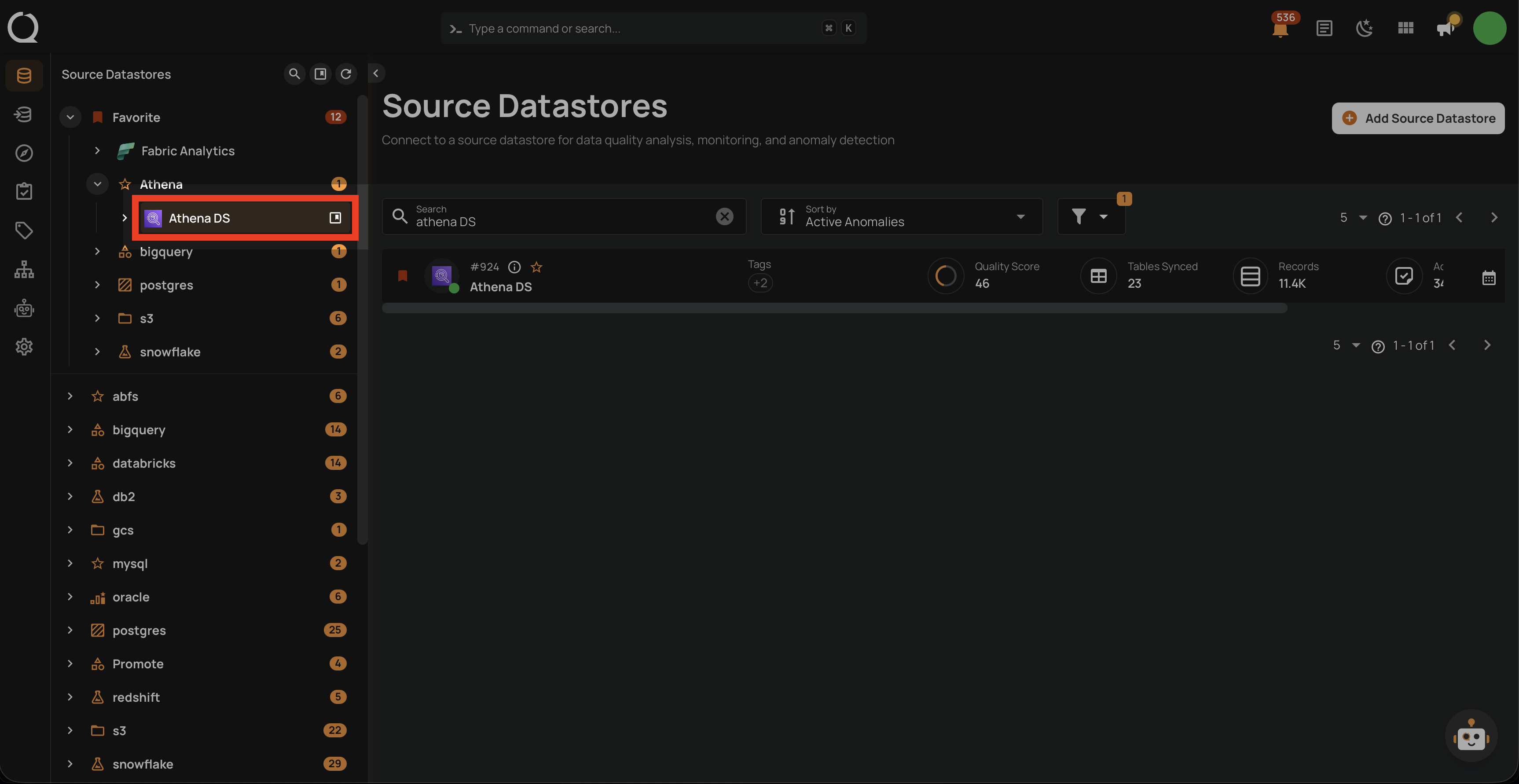
Step 2: Click the assign menu icon. A dropdown will appear showing the currently assigned group.
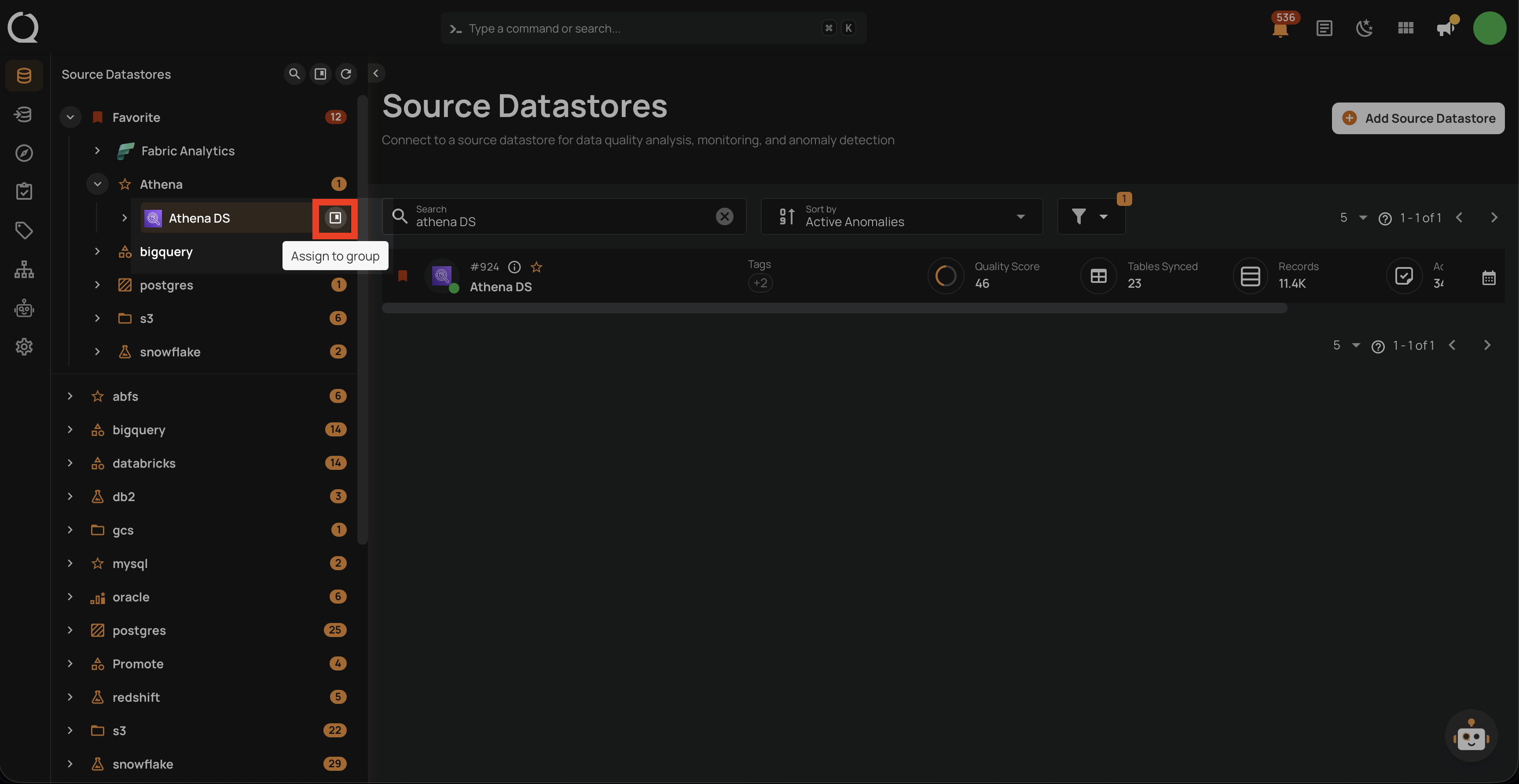
Step 3: Click the close icon (x) next to the currently selected group.
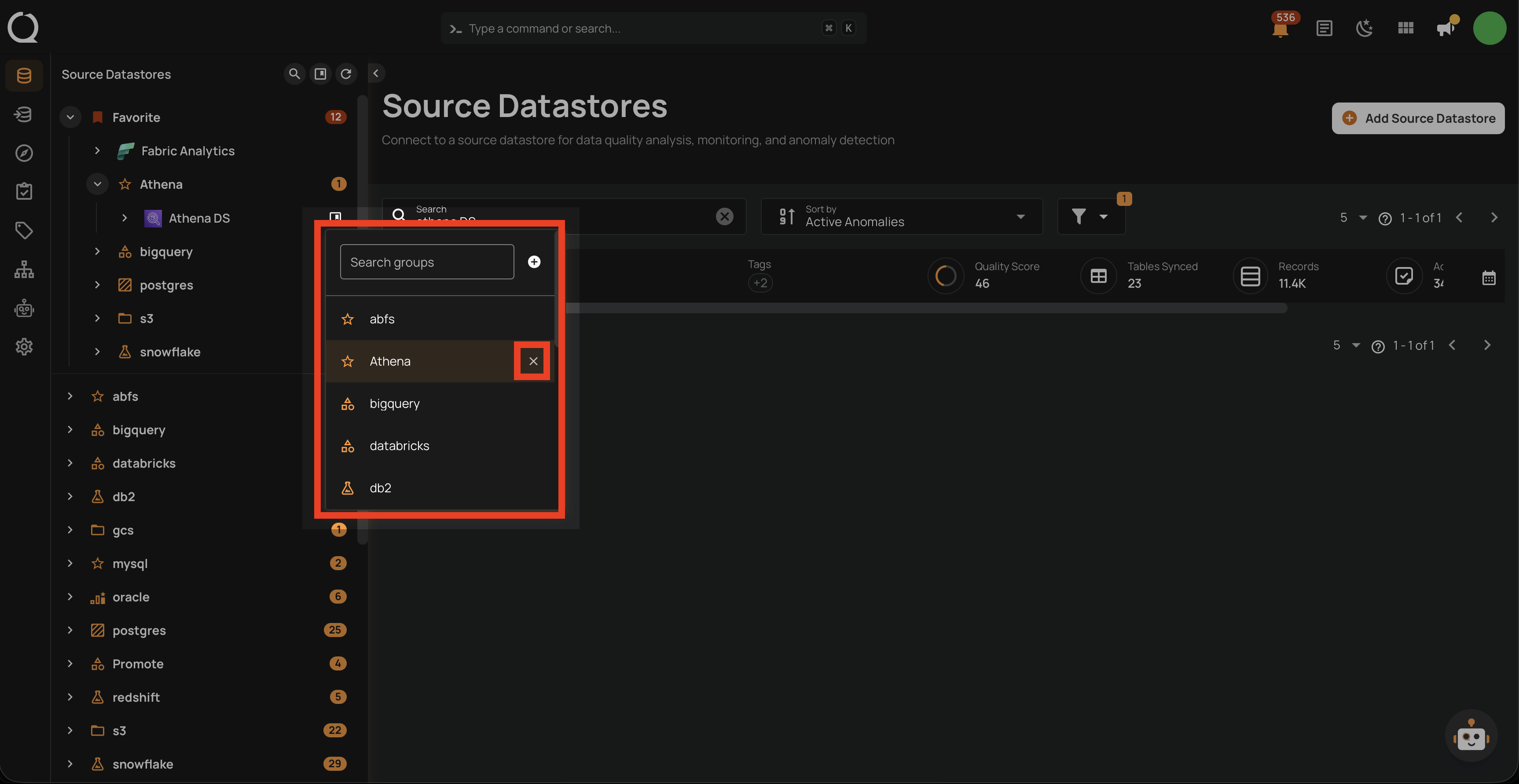
Step 4: The datastore will move to the Ungrouped section of the tree view.