Create a Datastore Group
This guide walks you through the steps to create a new datastore group in Qualytics.
Note
You need the Manager role to create datastore groups.
Steps
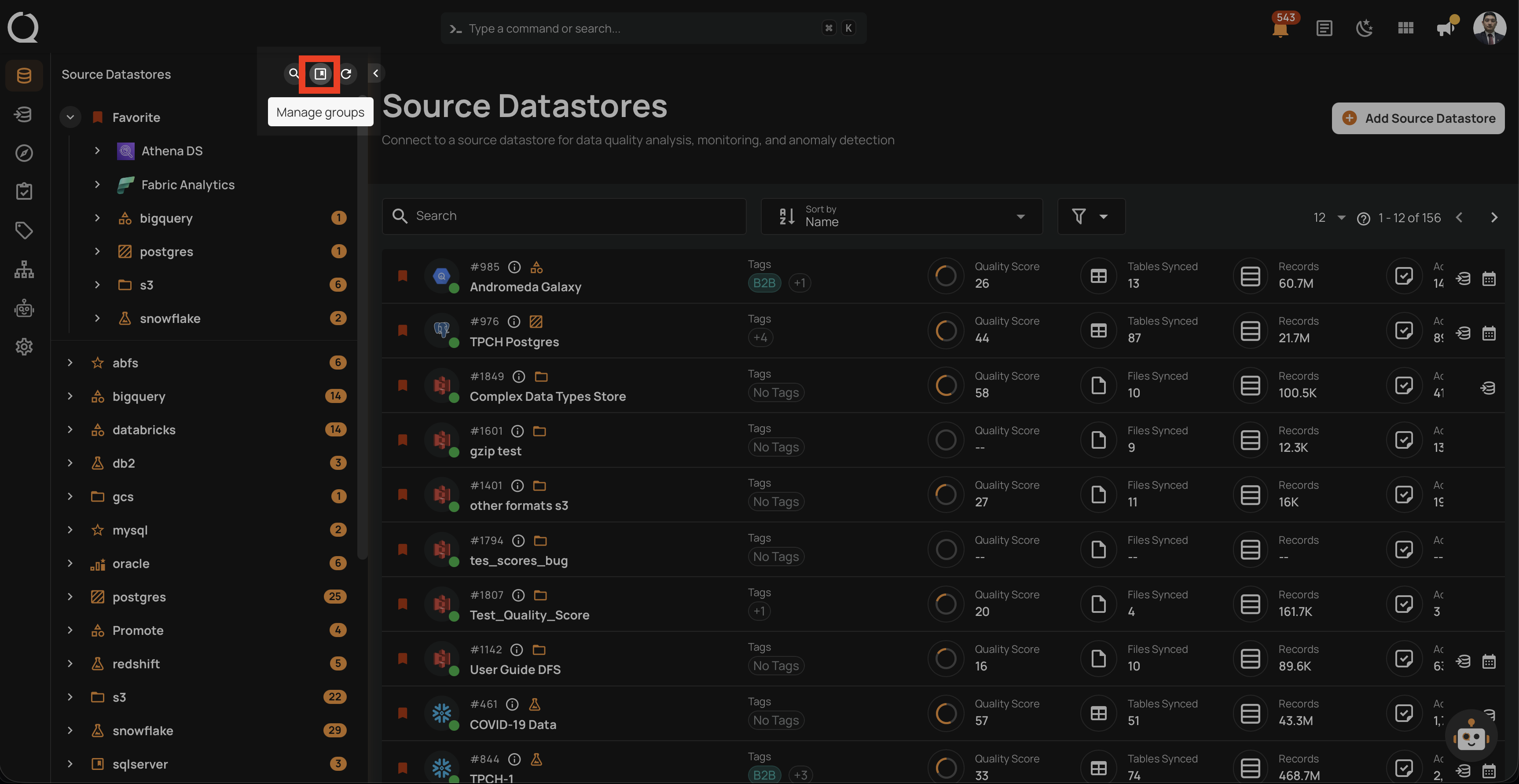
Step 1: Log in to your Qualytics account and click on the Manage groups button (bookmark icon) in the tree view header.
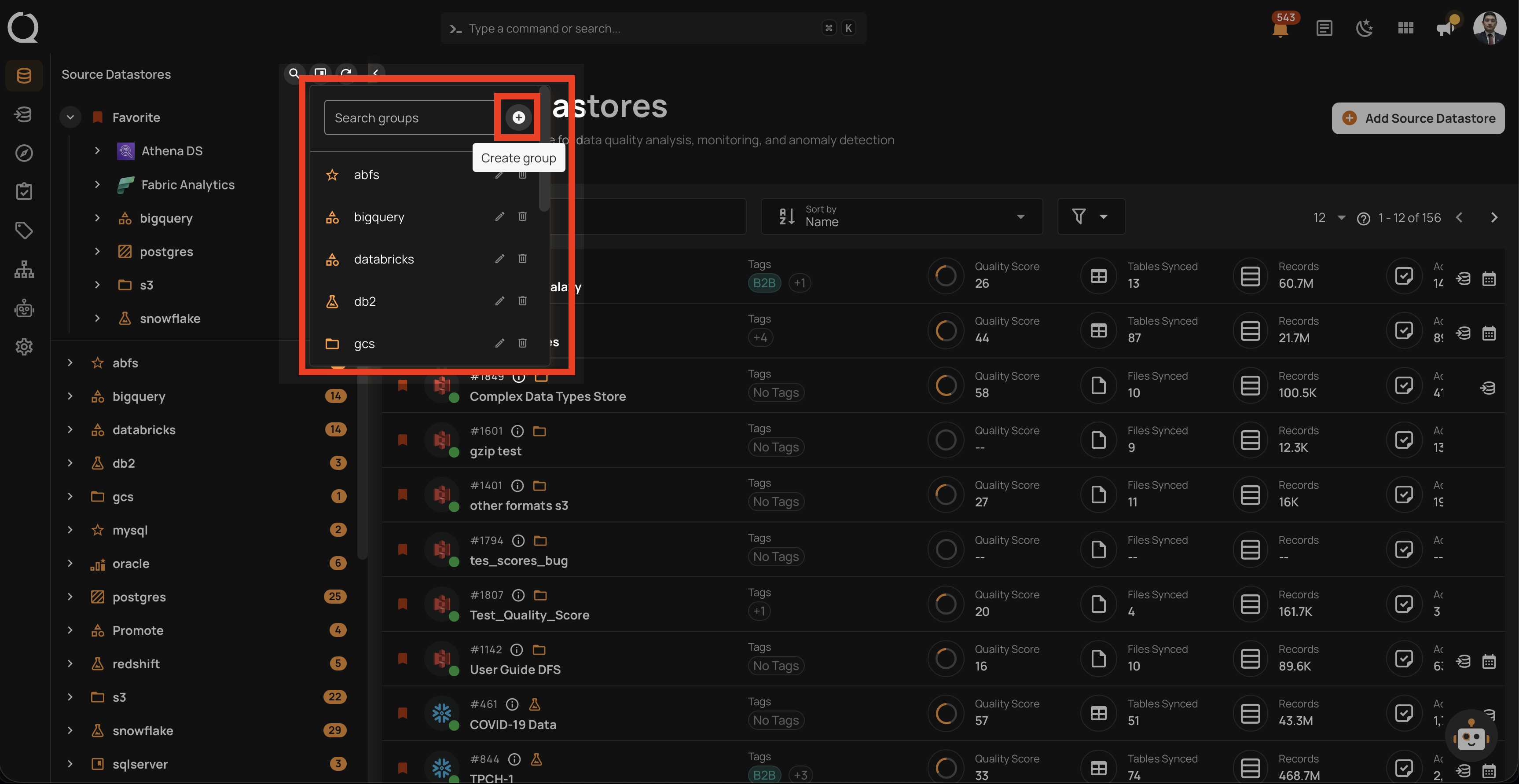
Step 2: In the Manage Groups panel, click the Create group button.
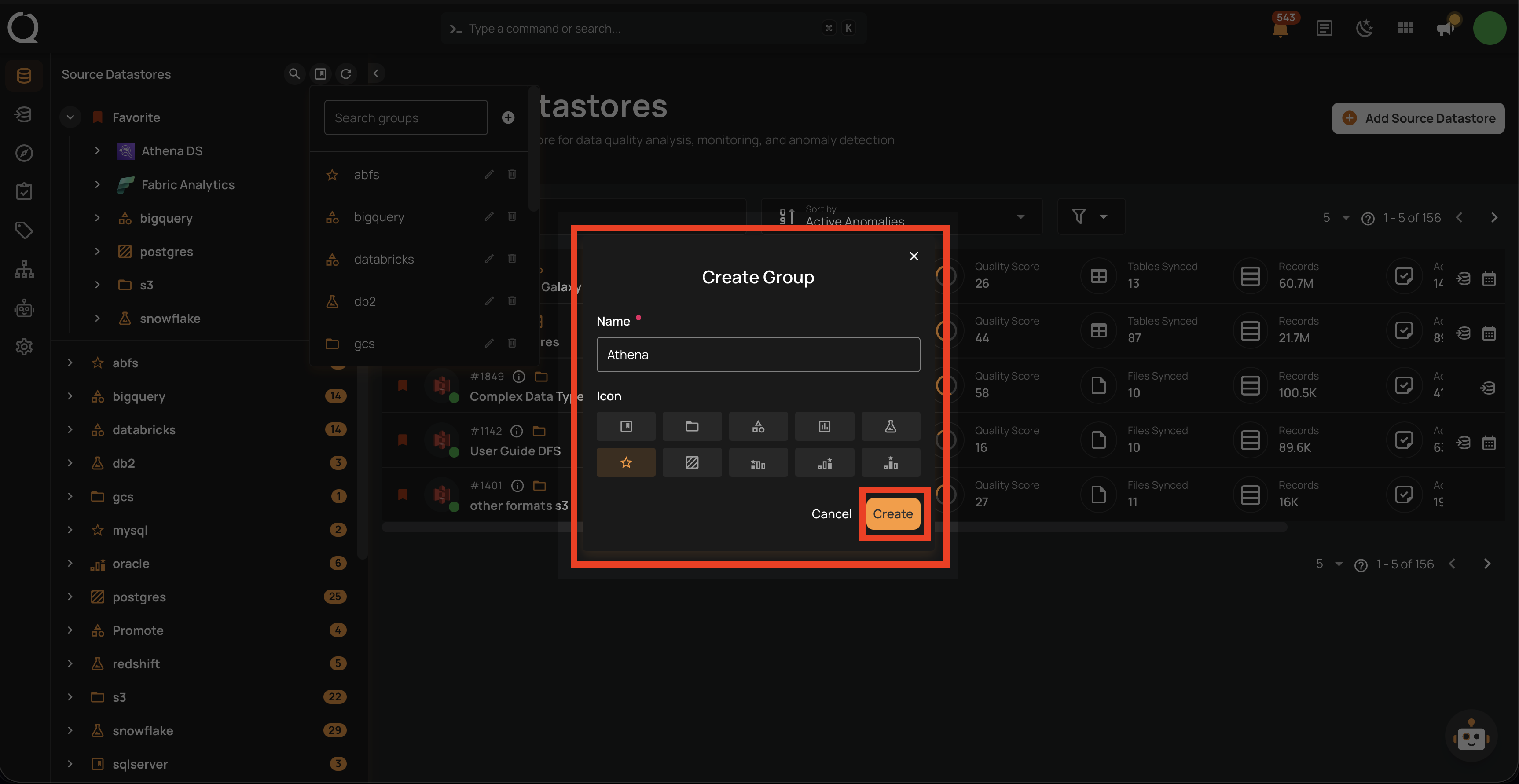
Step 3: A dialog will appear with the following fields. Fill in the details and click Create to create the group.
| Field | Description |
|---|---|
| Name | Enter a unique name for the group (required, max 100 characters). |
| Icon | Select an icon to visually identify the group. Available options: Bookmark, Folder, Shape, Chart, Flask, Star, Texture, Bronze, Silver, Gold. |
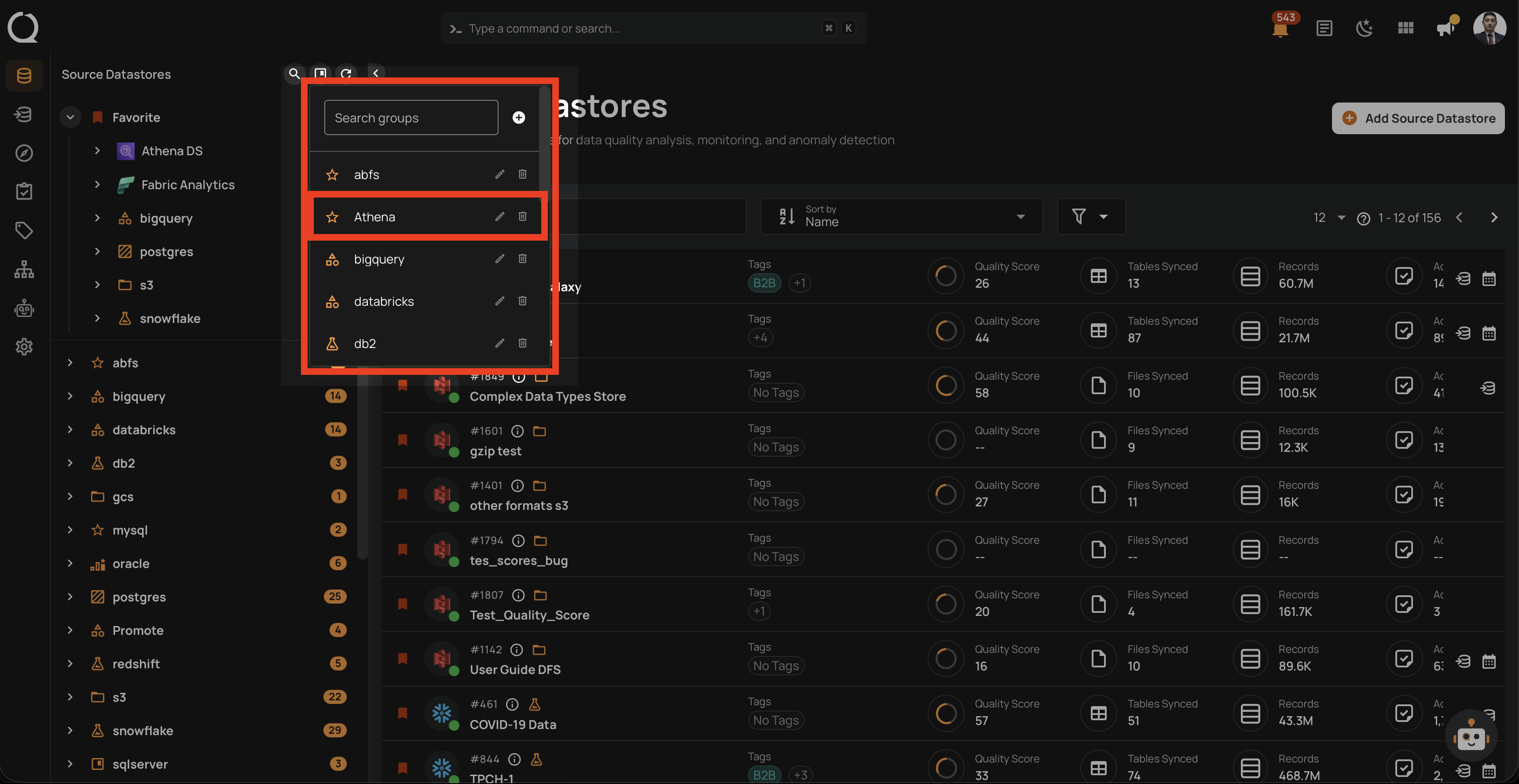
Step 4: The new group will appear in the Manage Groups panel.
Info
The newly created group will only appear in the tree view once a datastore is assigned to it. Until then, it is only visible in the Manage Groups panel.