Assign a Datastore Group
This guide walks you through the steps to assign a datastore to an existing group.
Note
You need Editor permission on the datastore to assign it to a group.
Steps
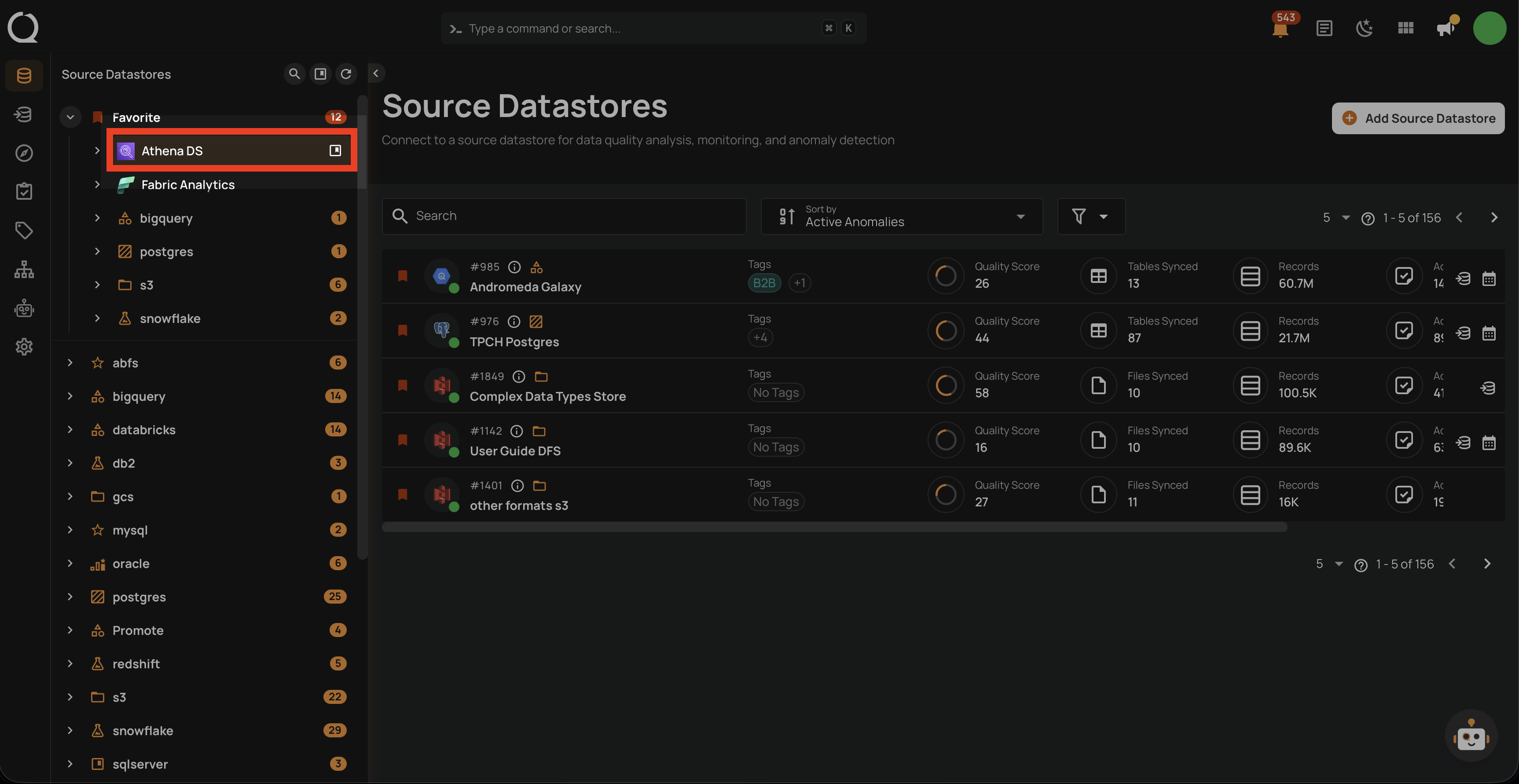
Step 1: In the tree view, hover over the datastore you want to assign. An Assign to group icon will appear.
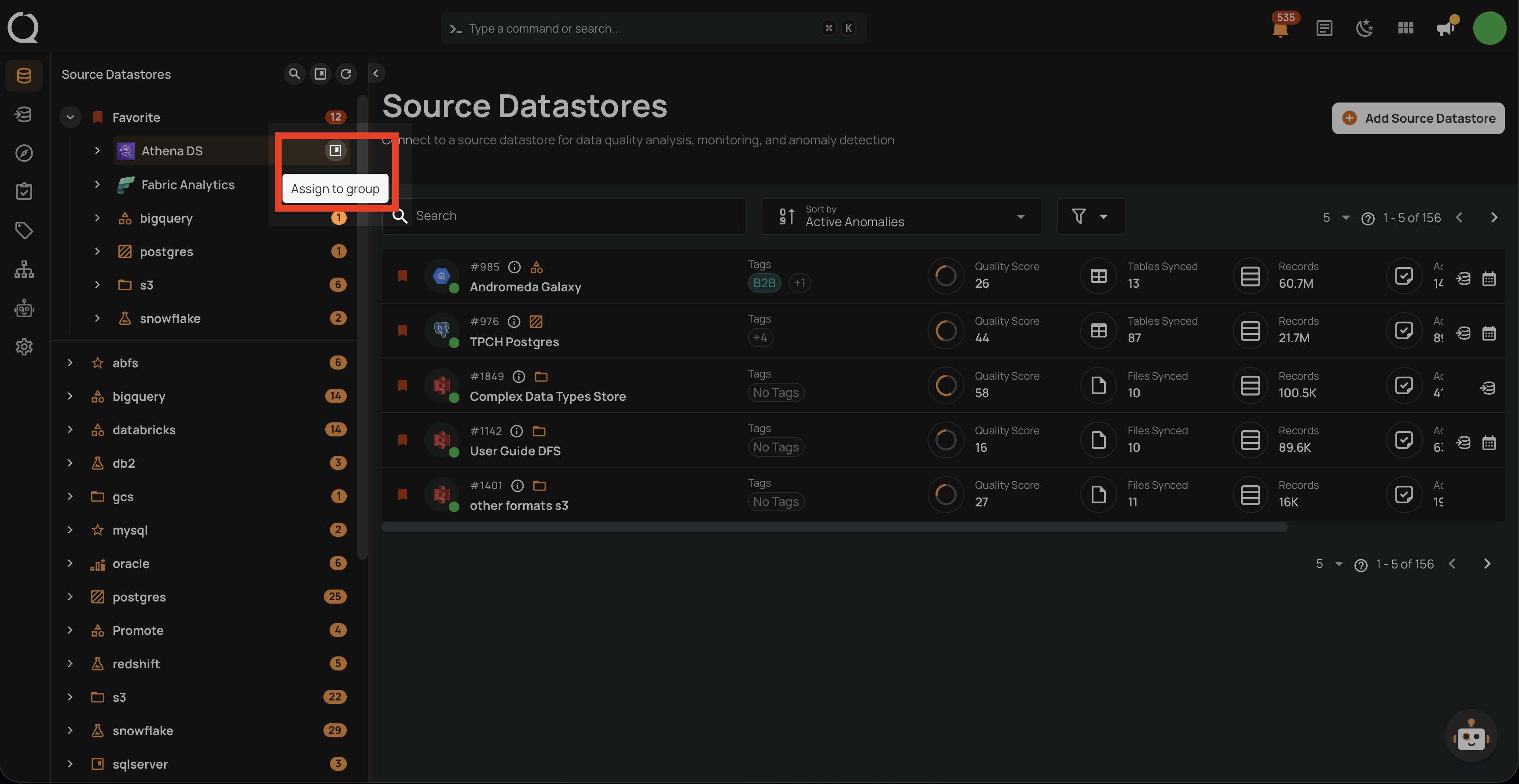
Step 2: Click the Assign to group button. A dropdown will appear with the list of available groups.
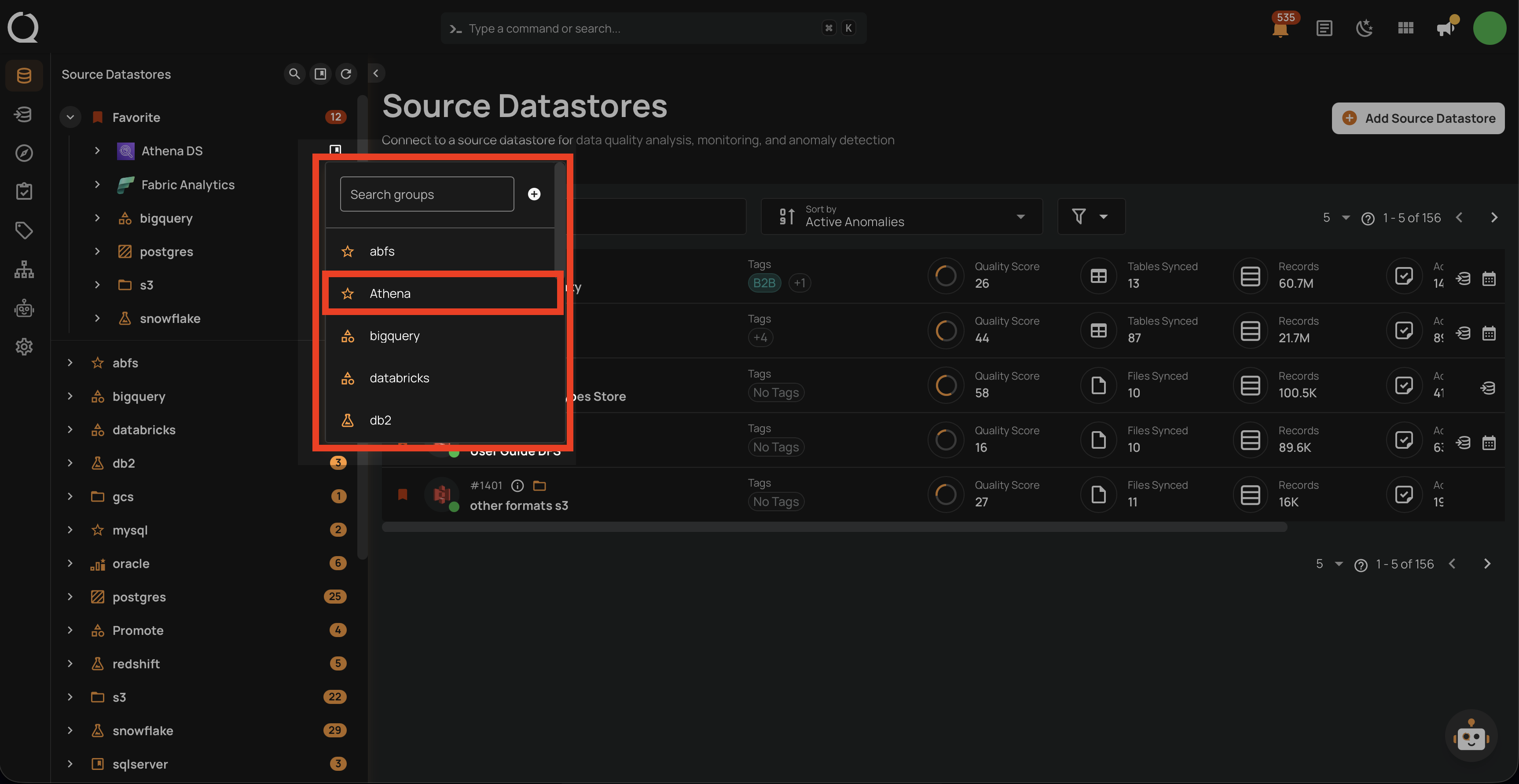
Step 3: Select the group you want to assign the datastore to.
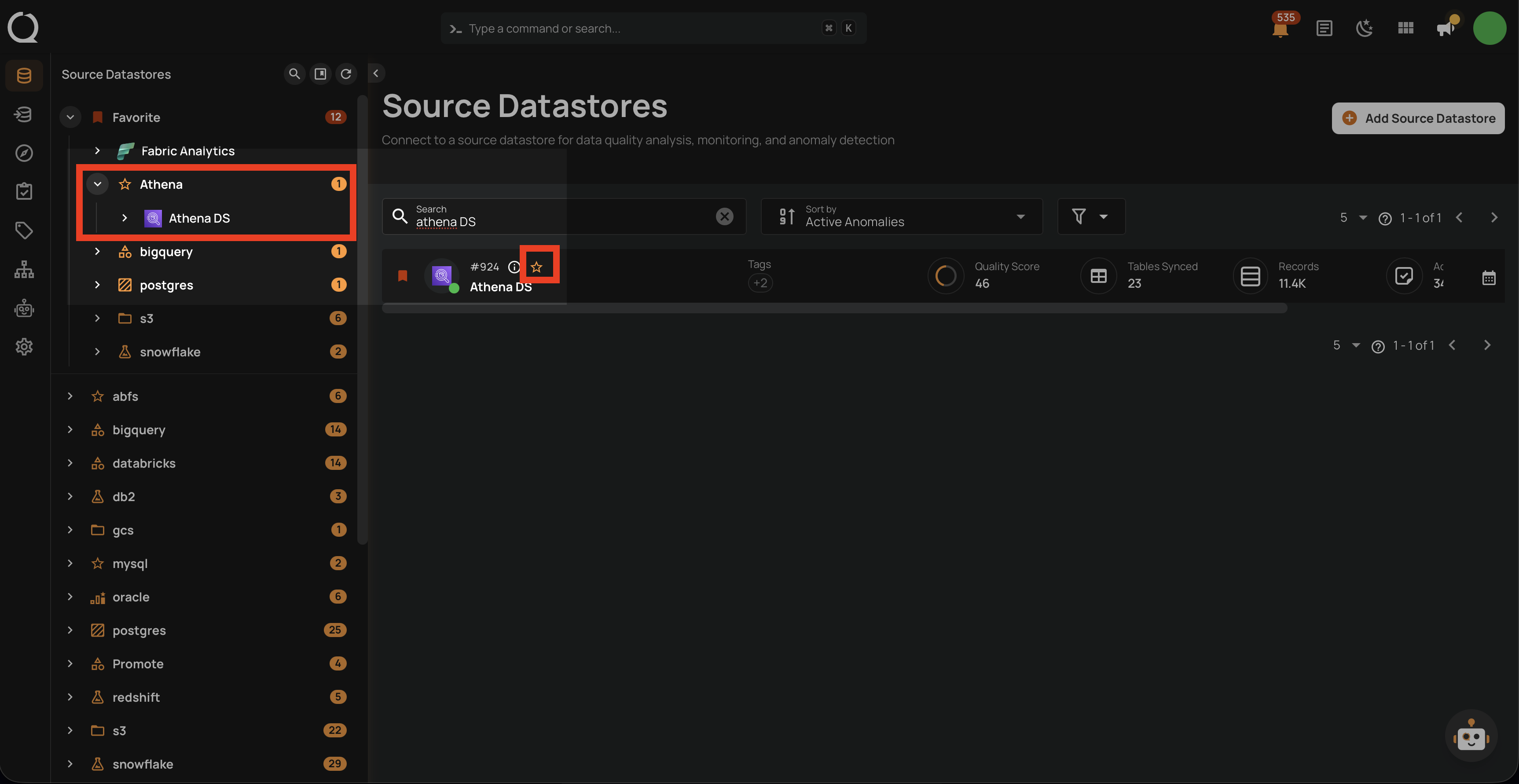
Step 4: The datastore will immediately move under the selected group in the tree view, and the group icon will be displayed next to the datastore.
Tip
You can also create a new group directly from the assign menu by clicking the Create button, if you have the Manager role.