Search Conversations
The search feature filters your active sessions by title or message content, making it easy to find a specific conversation in a long history.
Info
Search is only available from the Agent Q full-page view. The floating chat does not support this action.
Steps
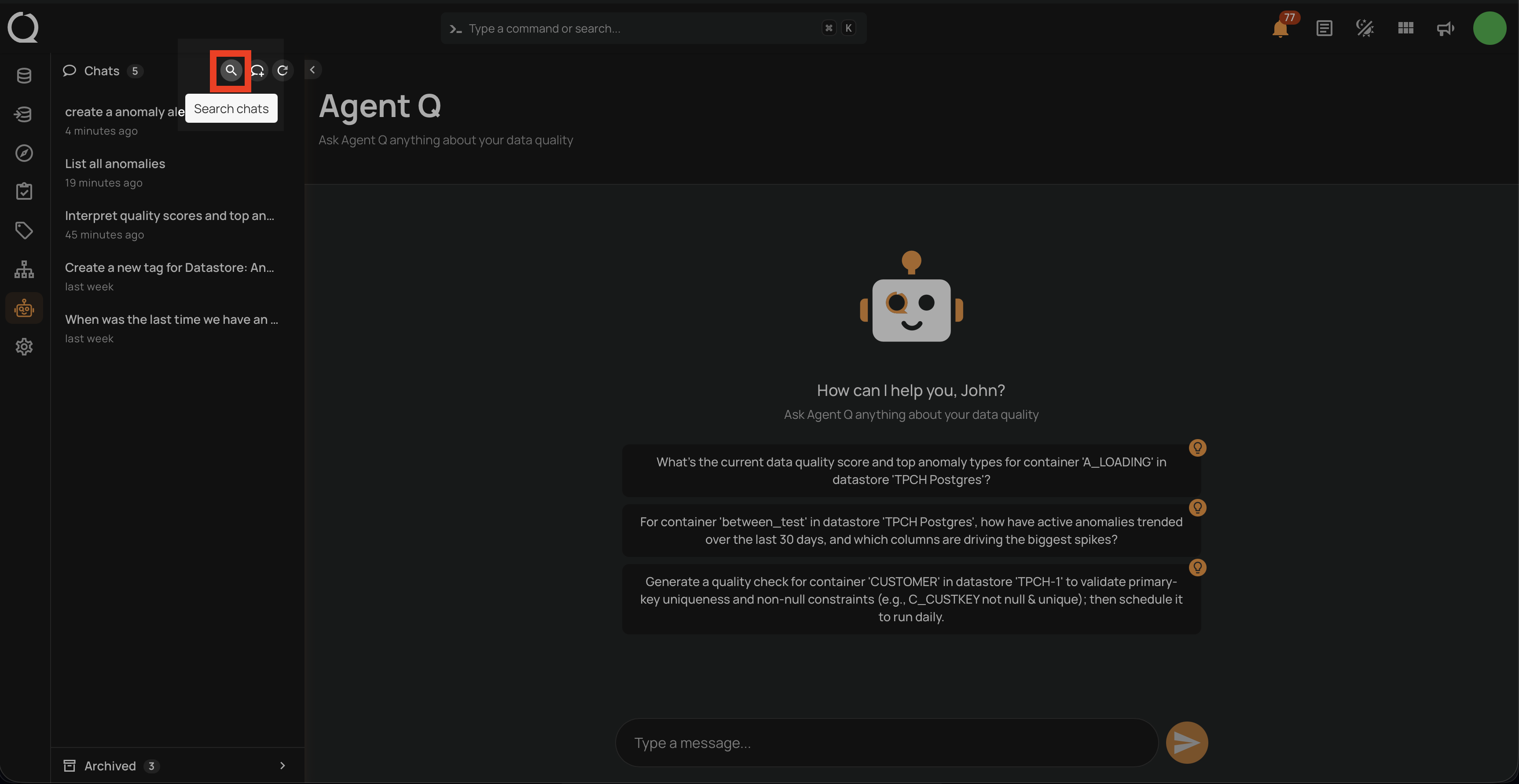
Step 1: In the sidebar, click the magnifying glass icon in the Chats header toolbar. A search input field appears below the header.
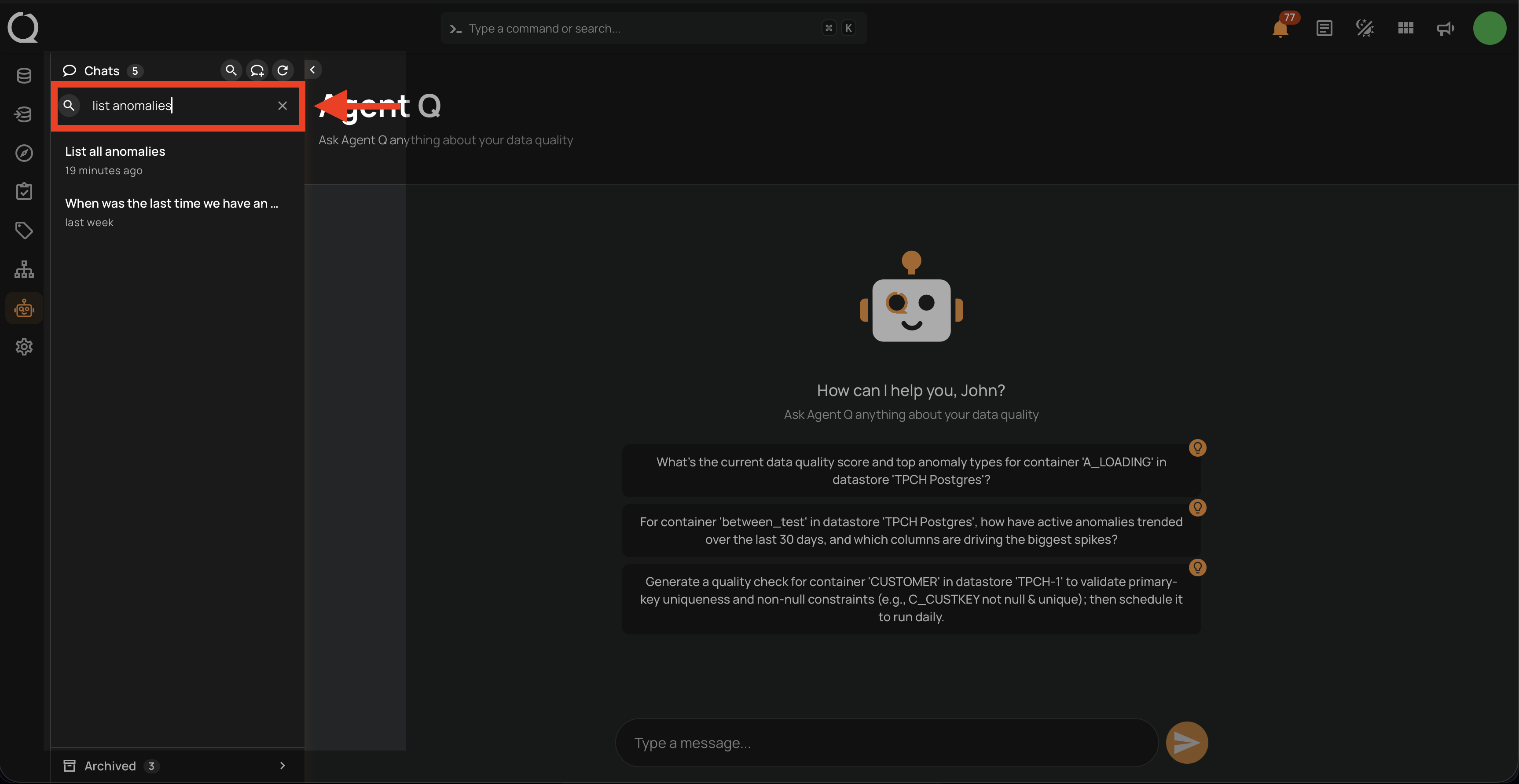
Step 2: Type to filter sessions by title or message content. Results update as you type. To clear the filter, click the ✕ button inside the search field or delete the text manually. Click the magnifying glass icon again to close the search panel.
Behavior
| Aspect | Detail |
|---|---|
| Search scope | Searches both session titles and message content |
| Results limit | Up to 20 results are shown — pagination is disabled during search |
| Empty query | Clearing the field resets the list to all active sessions |
| Archived sessions | Not included in search results |