Restore a Conversation
Restoring an archived session moves it back to the active Chats list, making it available for new messages again.
Info
Conversation management — including restoring archived sessions — is only available from the Agent Q full-page view. The floating chat does not support this action.
Steps
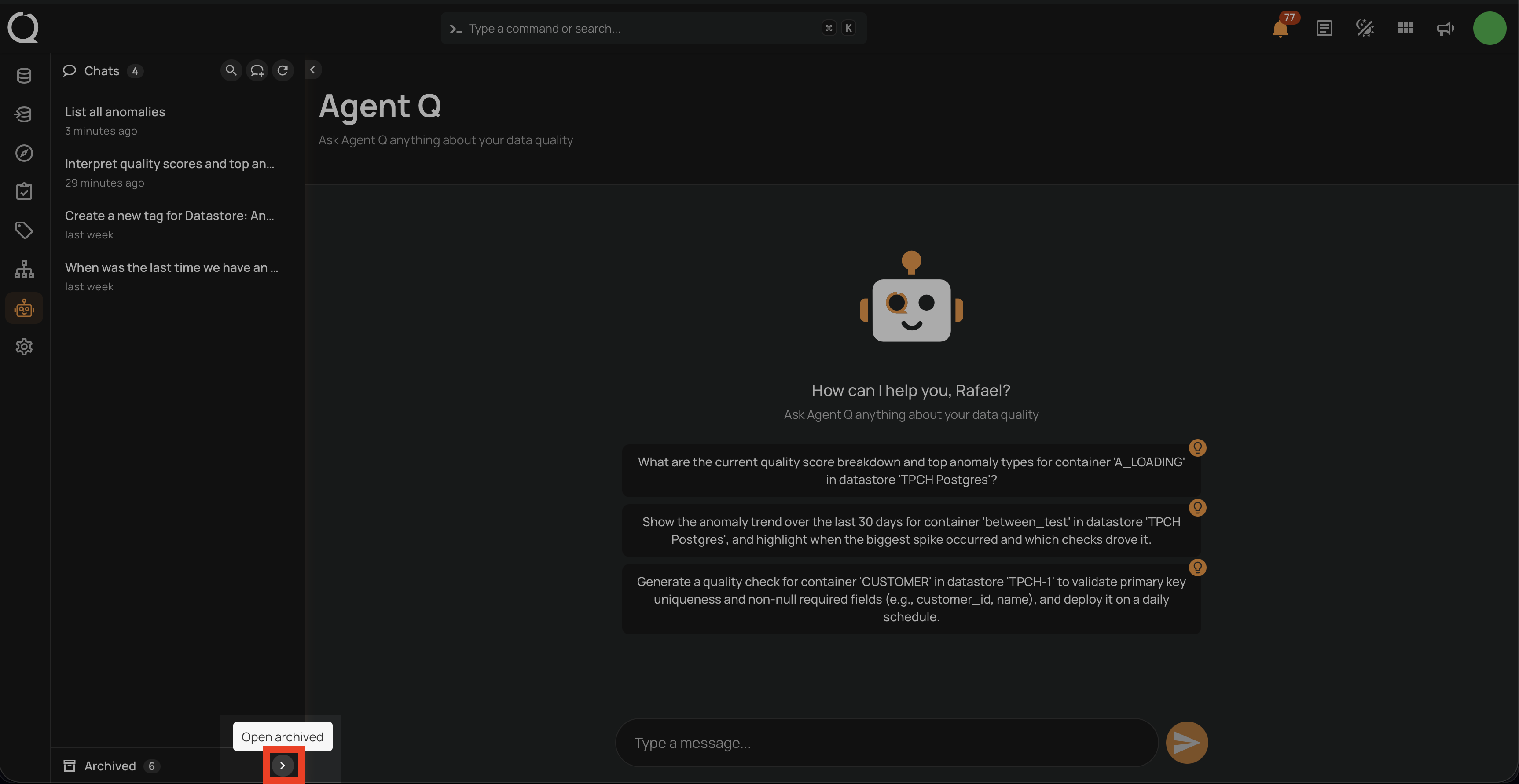
Step 1: In the Agent Q page, click the Open archived button at the bottom of the sidebar to expand the Archived section.
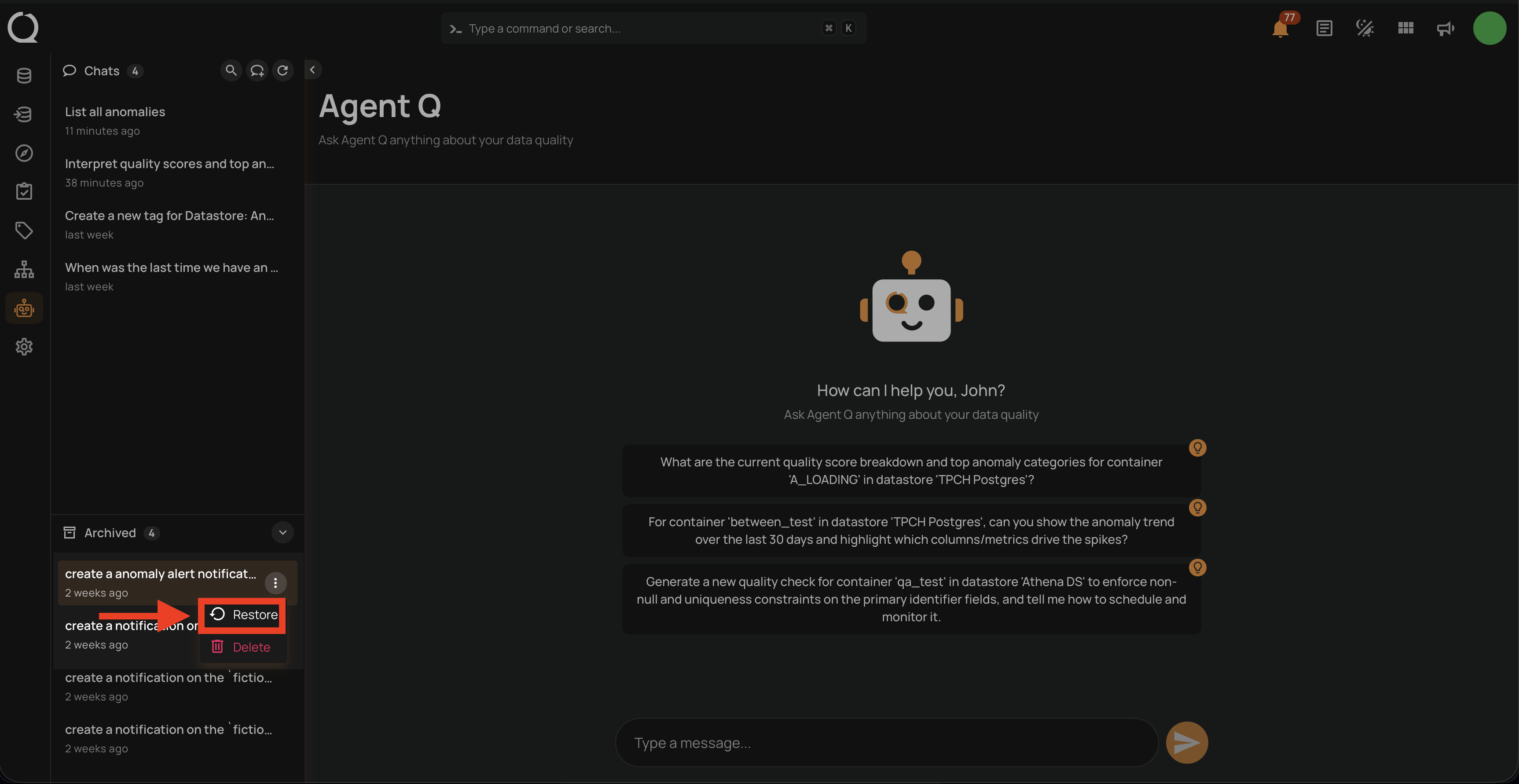
Step 2: Locate the conversation you want to restore. Click the ⋮ menu next to it and select Restore.
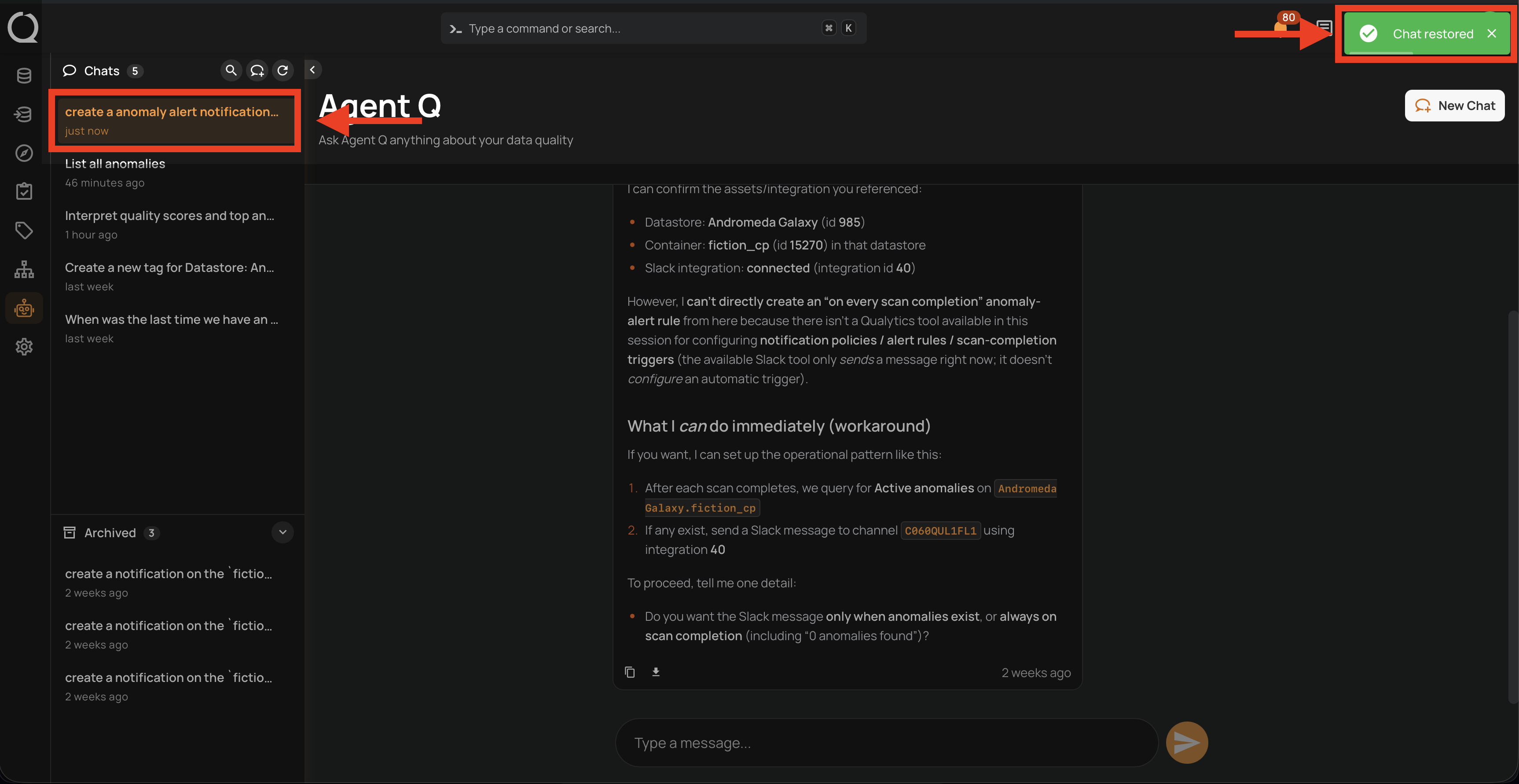
Step 3: A confirmation toast "Chat restored" appears in the top-right corner and the conversation moves to the top of the active Chats list.