Flow Entry
The Flow Entry is the starting point of every Flow in Qualytics. Think of it as the “root” of your automation — it defines the Flow’s name, purpose, and whether it is active. Once this node is set, you can continue building the rest of the Flow (Triggers, Actions, etc.).
Trigger Types
A Flow begins when one of its Triggers activates. Here are the six available trigger types:
| Trigger Type | Description |
|---|---|
| Schedule | Starts the Flow automatically based on a defined schedule (hourly, daily, weekly, monthly, or custom cron). |
| Operation Completes | Starts the Flow when a sync, scan, or profile operation finishes. |
| Anomalous Table or File Detected | Starts the Flow when anomalies are detected in a table or file. |
| Anomaly Detected | Starts the Flow when a single anomaly event occurs. |
| Anomaly Status Changed | Starts the Flow when the status of an anomaly changes to a specified state (for example, Open, Acknowledged, or Resolved). |
| Manual | Starts the Flow only when the user manually executes it. |
Configure the Flow Node
Step 1: Click on the Flow node.
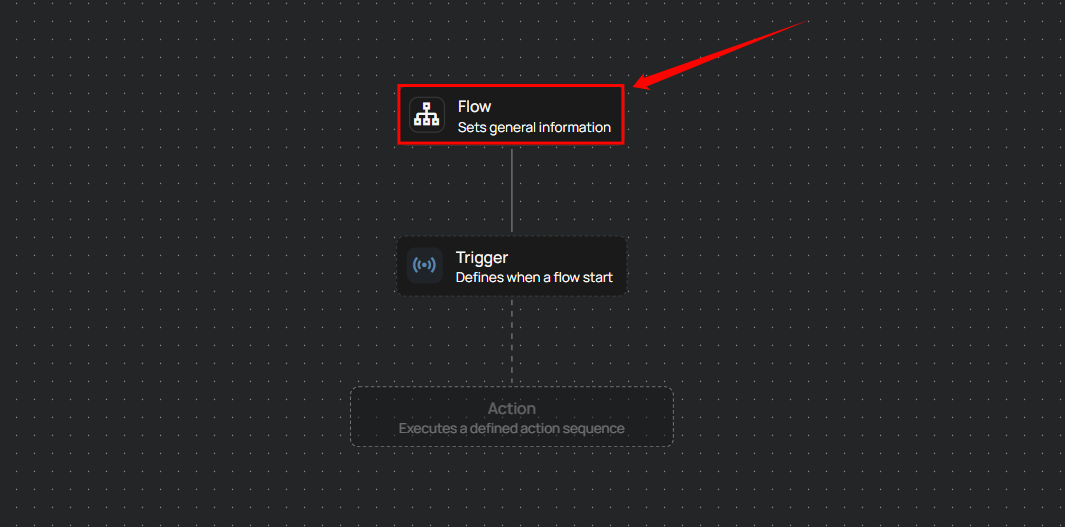
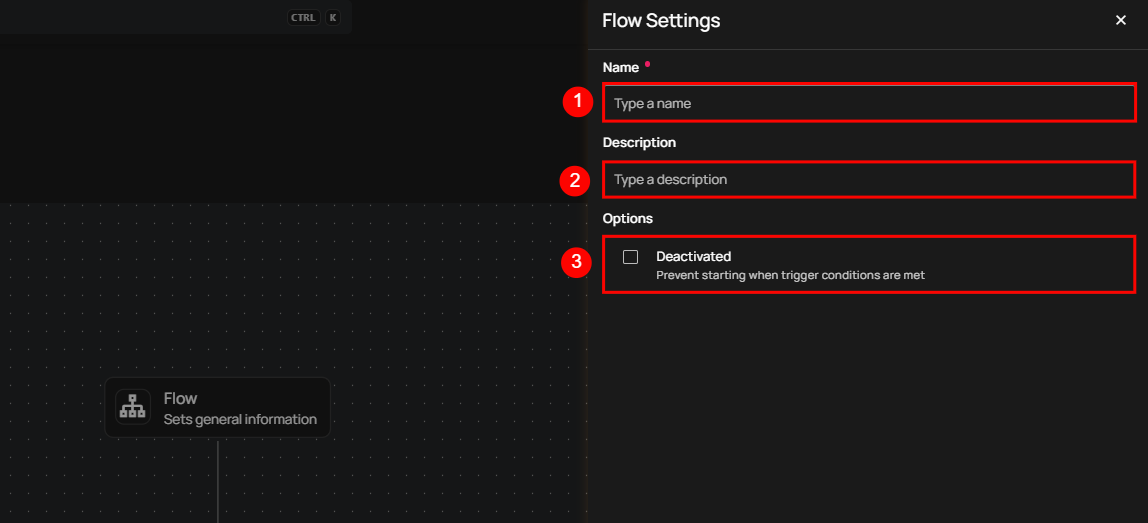
A panel will appear on the right-hand side, allowing you to:
| No. | Field Name | Description |
|---|---|---|
| 1. | Name | Enter the name for the flow. |
| 2. | Description | Provide a brief description of the flow (optional) to clarify its purpose or functionality. |
| 3. | Deactivated | Check the box to deactivate the flow. If selected, the flow won't start even if the trigger conditions are met. |
Step 2: Once the details are filled in, click the Save button to save the flow settings.