Deactivate Flow
Users can deactivate a flow to pause its triggers by disabling it. This prevents the flow from being executed until it is reactivated.
Info
To deactivate a Flow, you must have Manager role. Only users with this role can perform the deactivation action.
For more details about permissions, refer to the permissions documentation.
Deactivate Specific Flow
Deactivating a specific flow allows you to pause its triggers without deleting it. The flow will not run again until it is reactivated.
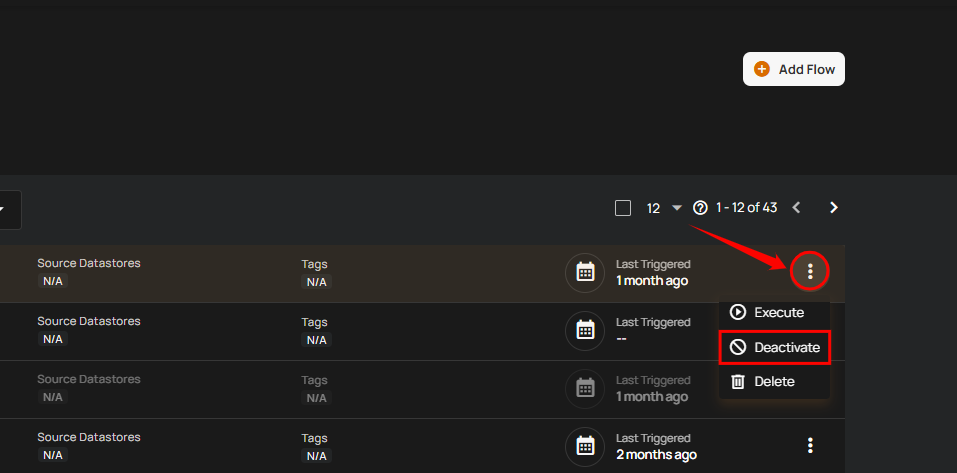
Step 1: Click the vertical ellipsis (⋮) next to the flow that you want to deactivate, then click on Deactivate from the dropdown menu.
Note
If you accidentally deactivate a flow, you can easily reactivate it by following the steps in the Activate Flow guide.
After clicking the Deactivate button, a success notification appears confirming the deactivation.
Warning
Deactivating a flow only pauses its triggers — not deletes it. You can reactivate it anytime, or see the Delete Flow guide to remove it permanently.
Deactivate Flow in Bulk
Deactivating flows in bulk allows you to pause triggers for multiple flows at once.
Step 1: Hover over the flows list and select the checkbox next to the flows you want to deactivate.
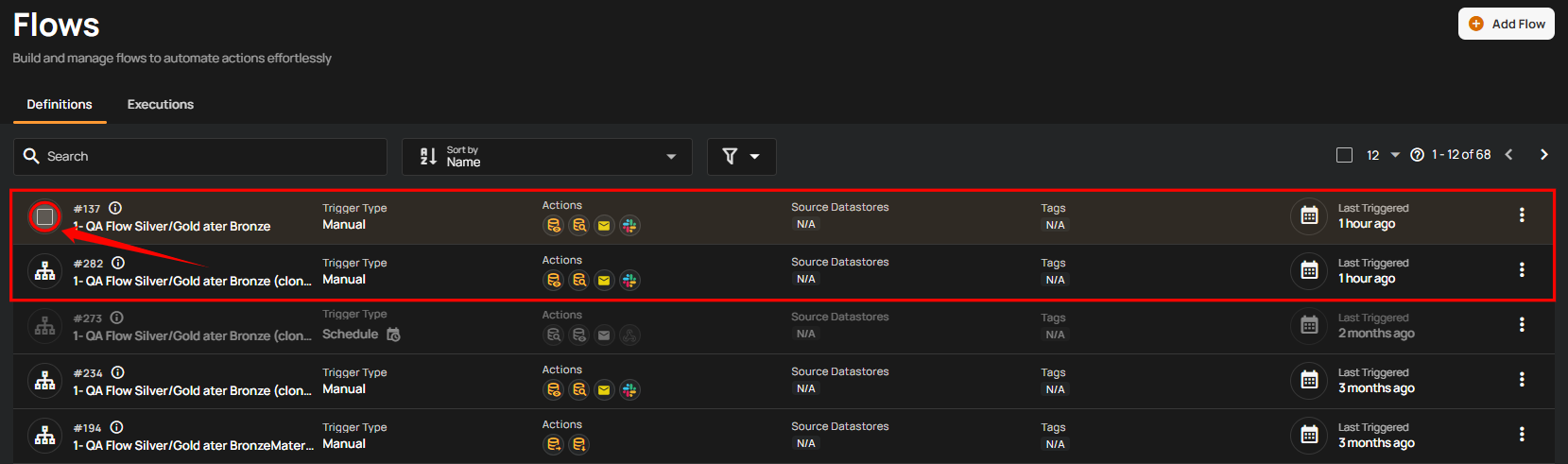
When multiple flows are selected, an action toolbar appears showing the total number of selected flows along with available bulk actions.
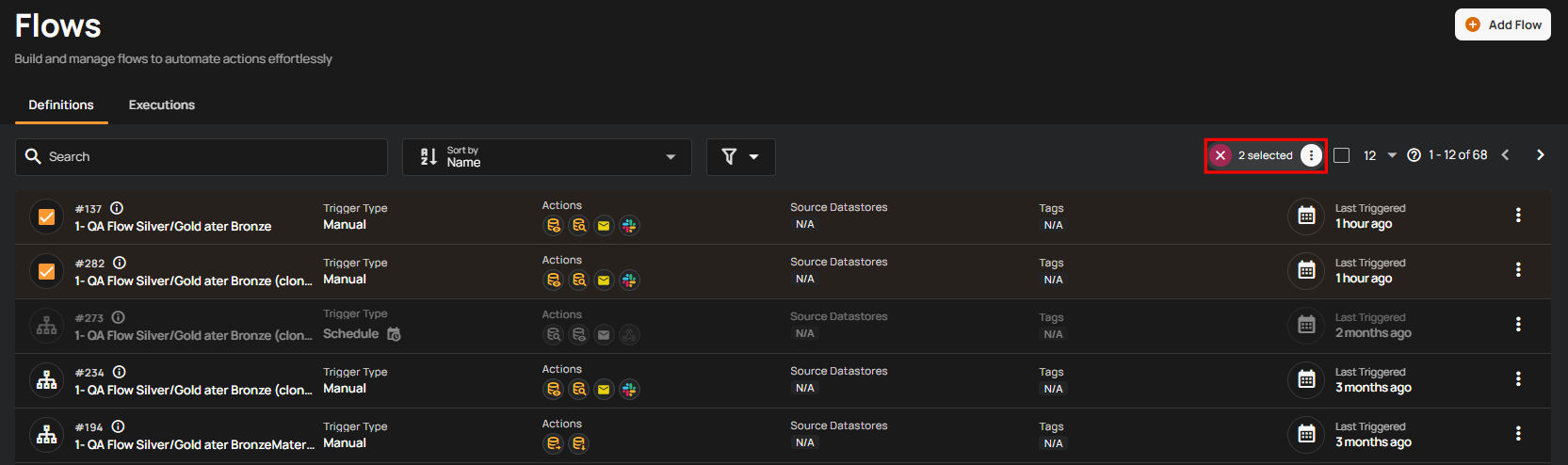
Step 2: Click Deactivate from the action toolbar.
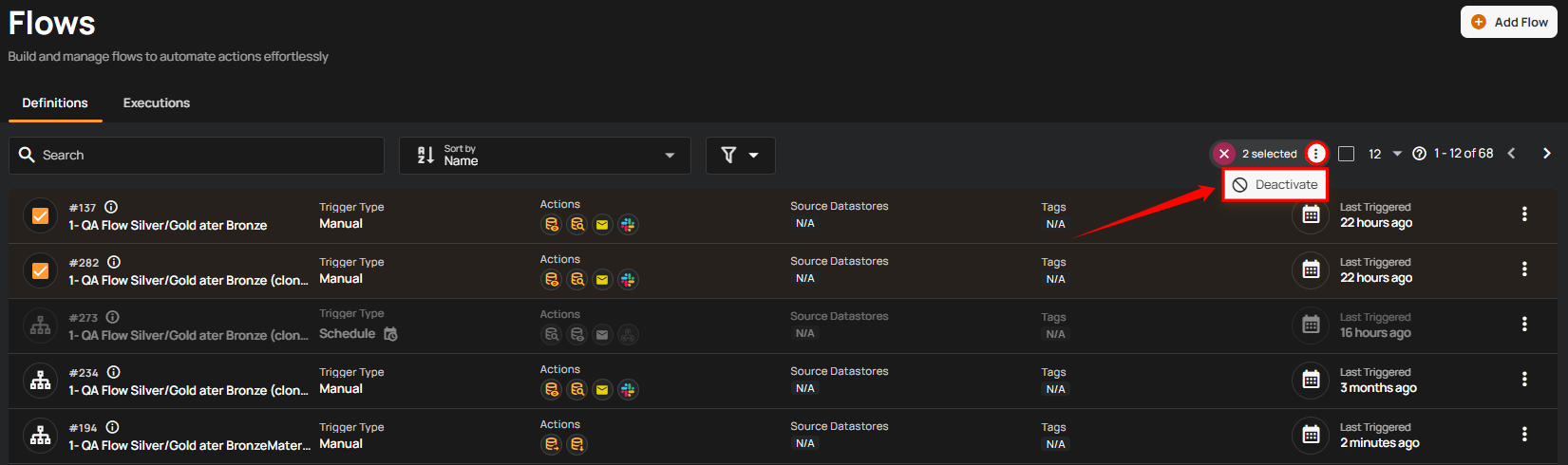
After clicking Deactivate, a success notification appears confirming that the selected flows have been deactivated.
FAQ
1. What happens if I deactivate a Flow?
Once deactivated, the Flow’s triggers stop executing until you reactivate it. Existing executions will not be affected.