Clone an Action
Users can duplicate an existing action in just a few clicks. Cloning an action allows you to quickly replicate its configuration without manually setting it up again.
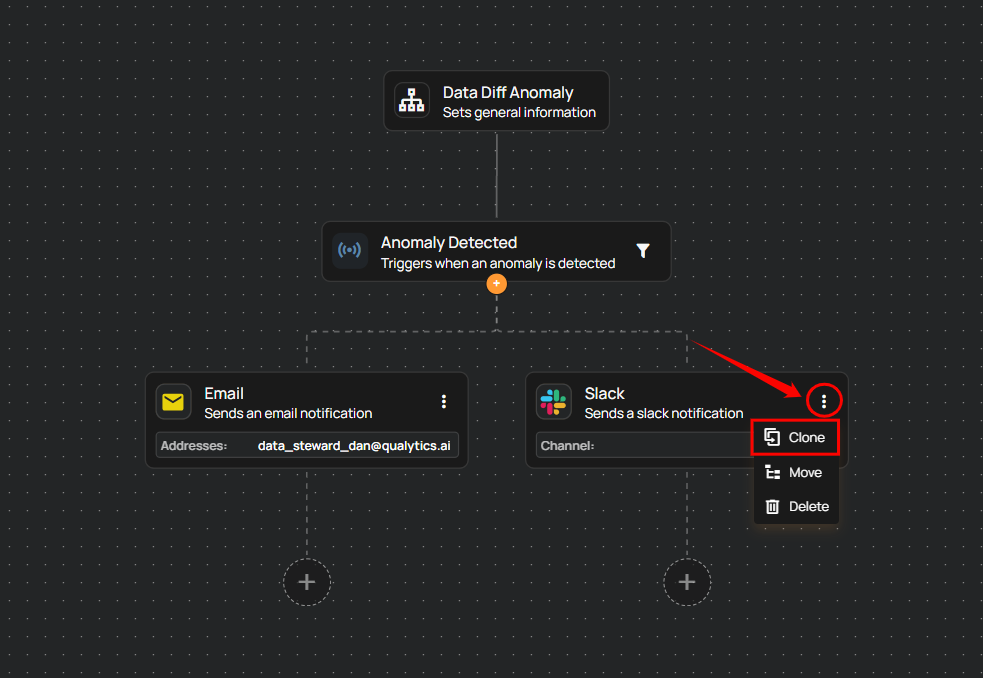
Step 1: Click the vertical ellipsis (⋮) on the action you want to clone, then select the Clone option from the menu.
Info
You can add a maximum of 10 Operation Actions (such as Sync, Profile, or Scan) in a single flow.
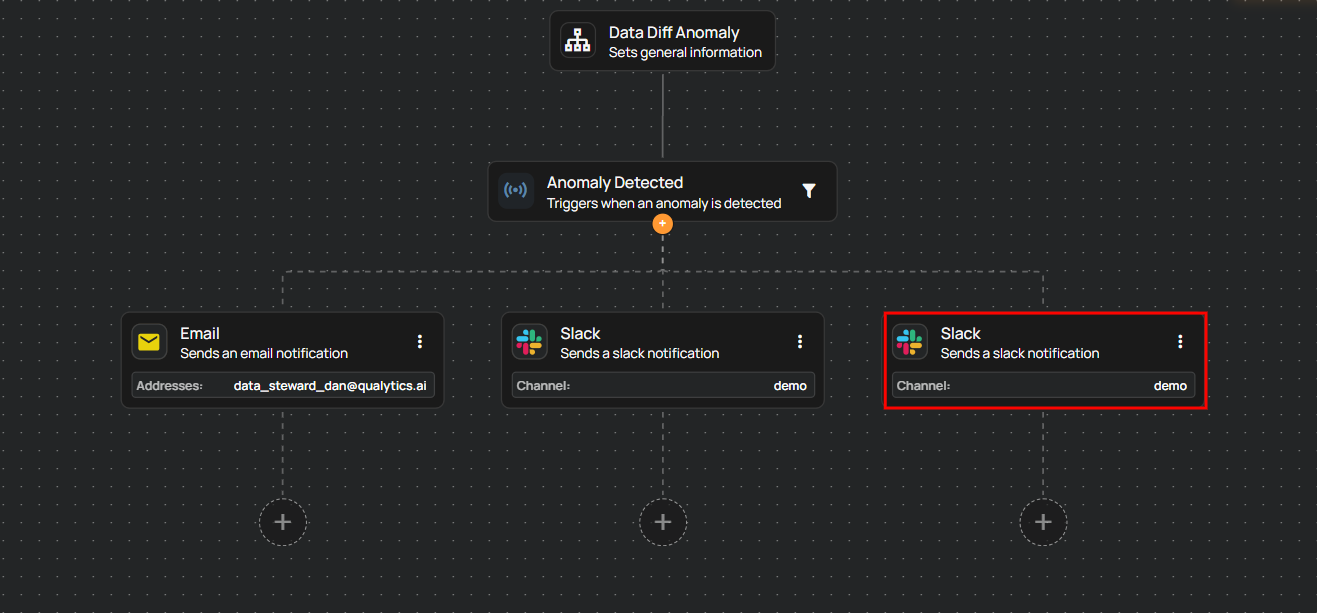
Step 2: After clicking the Clone option, a cloned action will be created.