Clone a Flow
Users can duplicate existing flows to simplify the reuse and modification of flow configurations for similar scenarios.
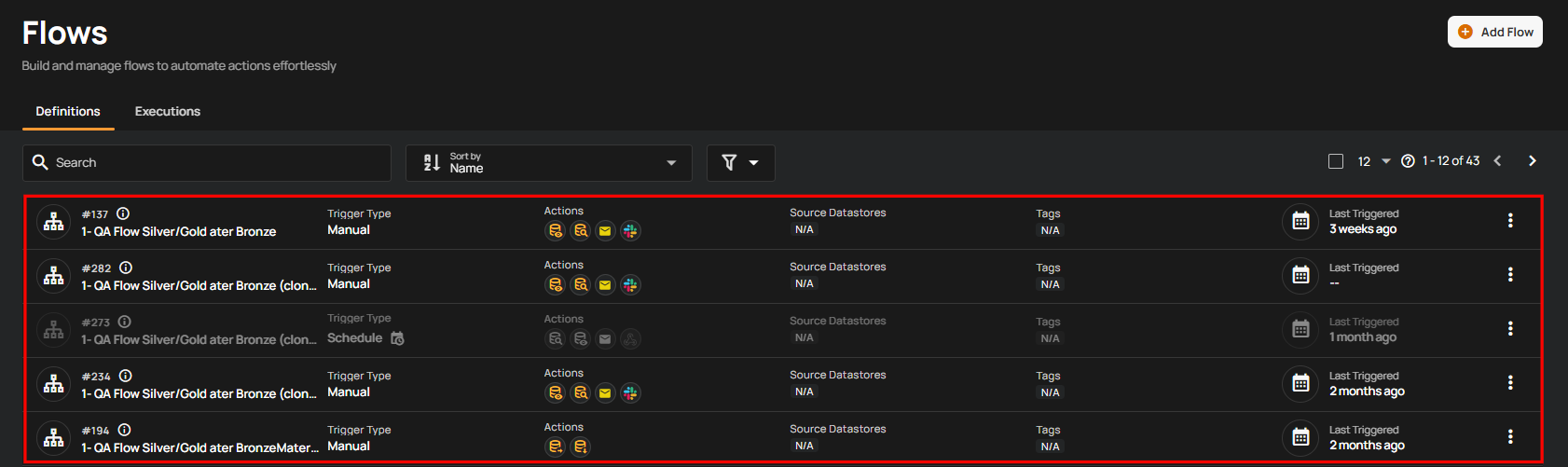
Step 1: Click on the existing flow you want to clone.
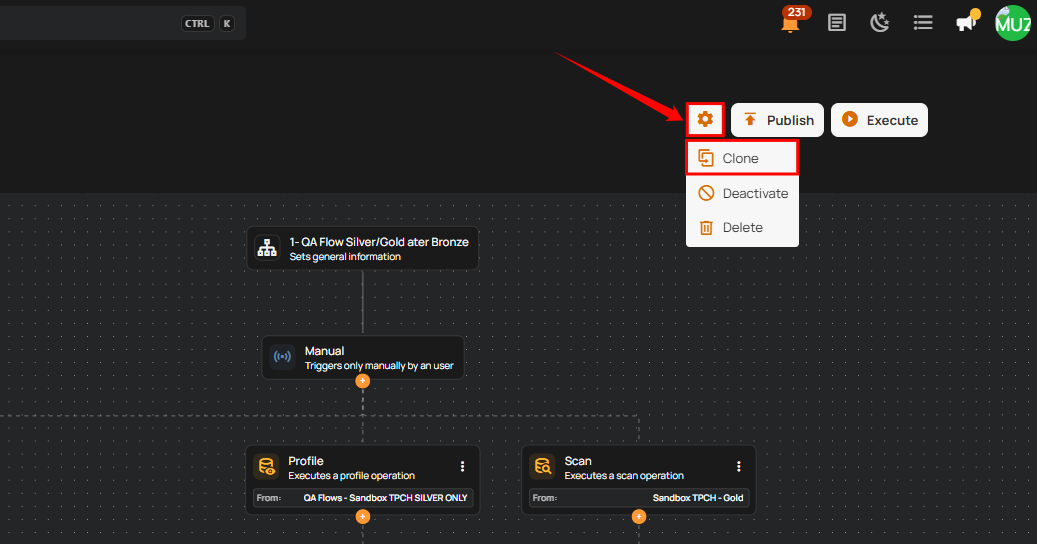
Step 2: A new window will open displaying the flow's detailed configuration. Click the settings icon and select Clone.
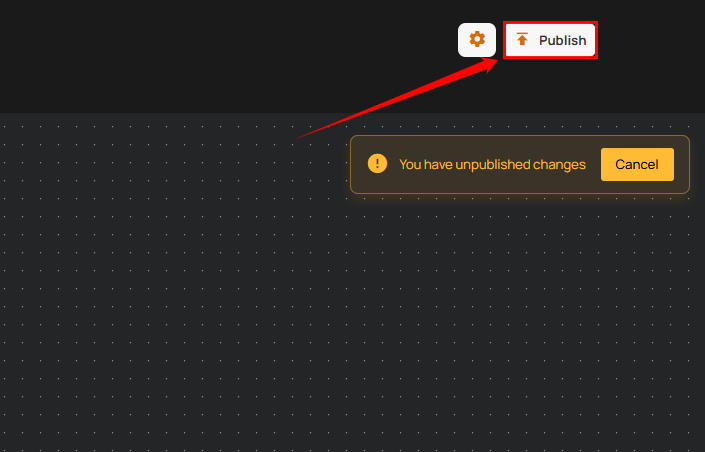
Step 3: After selecting the clone button, click the Publish button to publish it.
Important
Users with the Manager Role can create, edit, clone, or publish Flows. For details, see the Team Permission .
After clicking the Publish button, a success notification appears confirming that the flow has been successfully added.