Activate Flow
Users can reactivate a flow that was previously deactivated. Once reactivated, the flow’s triggers become active again, allowing it to run automatically based on the defined conditions.
Step 1: Click the vertical ellipsis (⋮) next to the flow that you want to activate, then click on Activate from the dropdown menu.
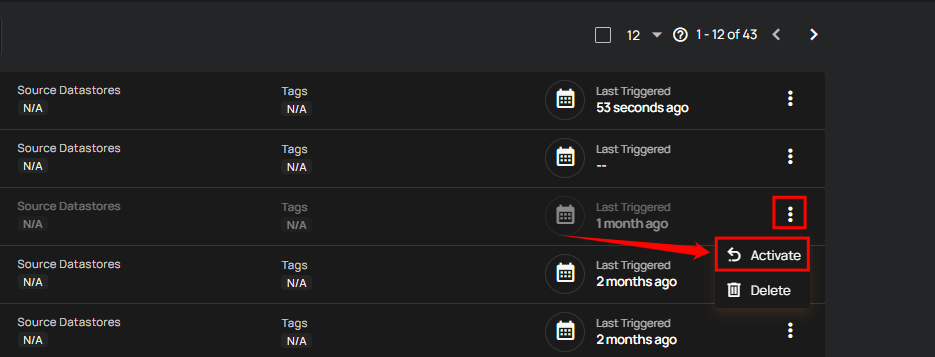
After clicking the Activate button, a success notification appears confirming the activation.