Remove PagerDuty Integration
Disconnecting the PagerDuty integration will remove its connection from your platform. Any existing workflows, notifications, or Flow actions relying on PagerDuty may stop working, though they won't be deleted. Make sure to review any dependent Flows before proceeding.
Disconnect Integration
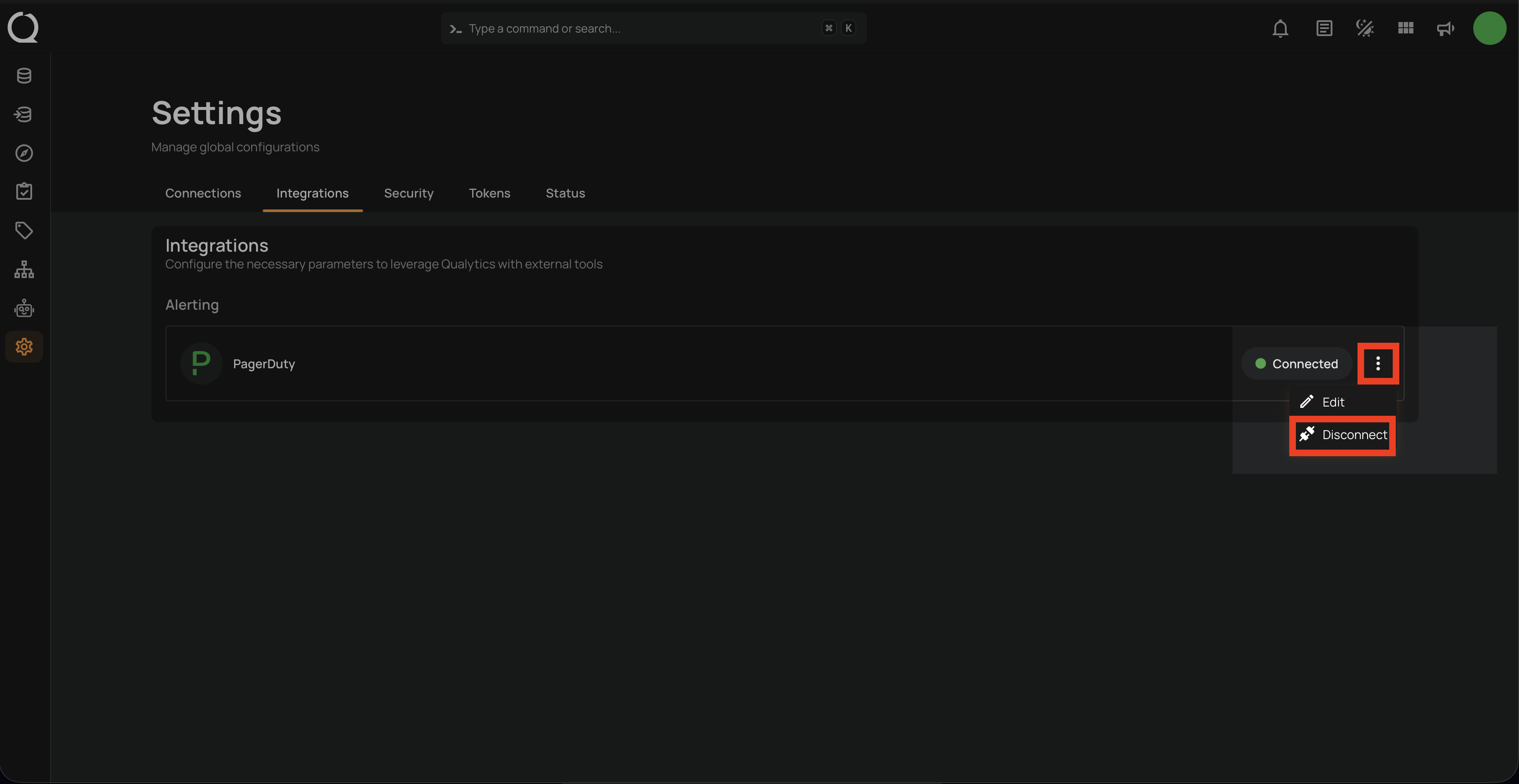
Step 1: Click on the vertical ellipses(⋮) next to the connected button and select the Disconnect option to disconnect the integration.
Step 2: A modal window Disconnect Integration will appear. Click on the Disconnect button to proceed.
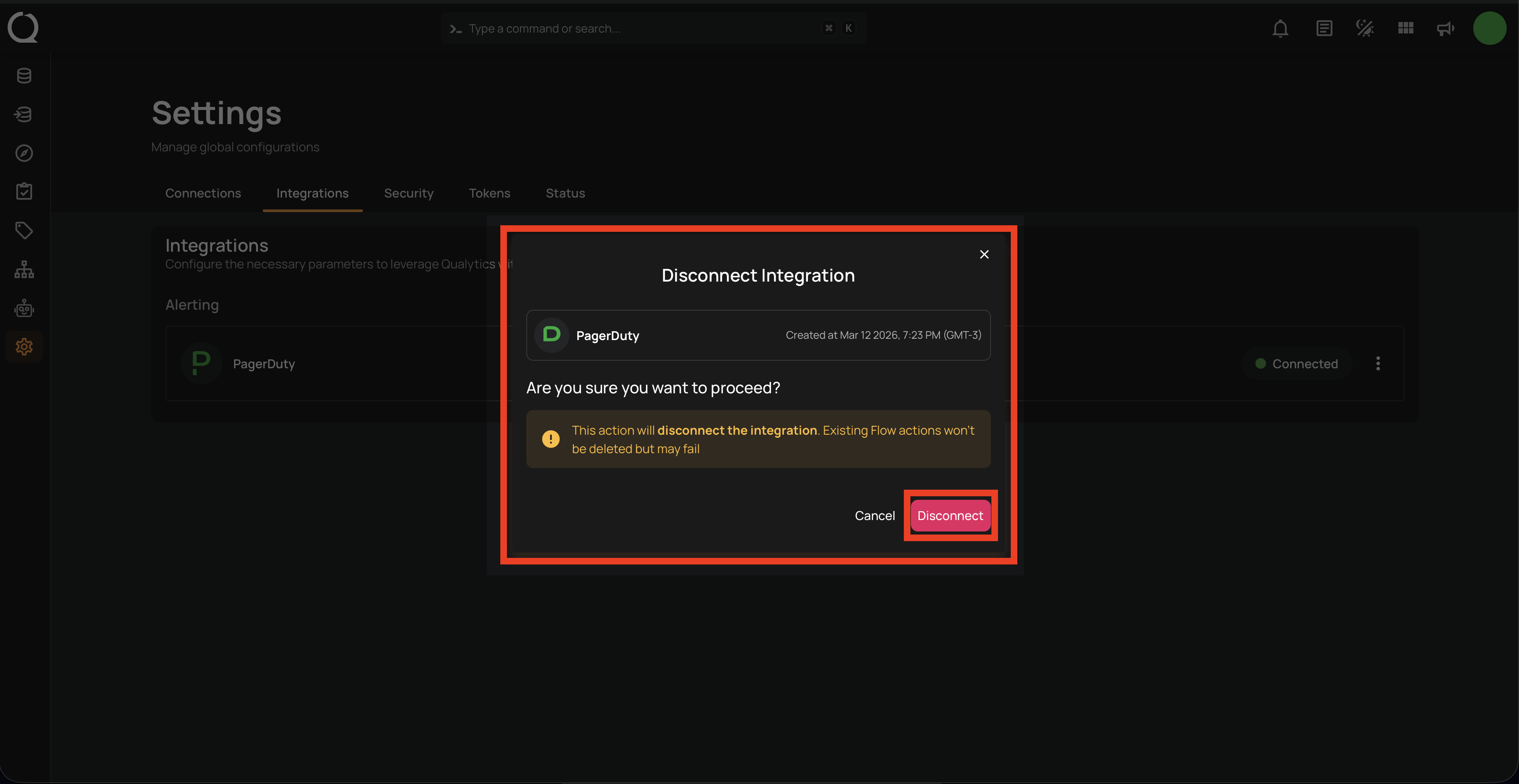
Warning
This action will remove the PagerDuty integration. Any Flows using PagerDuty notifications will no longer be able to deliver alerts to your PagerDuty service.
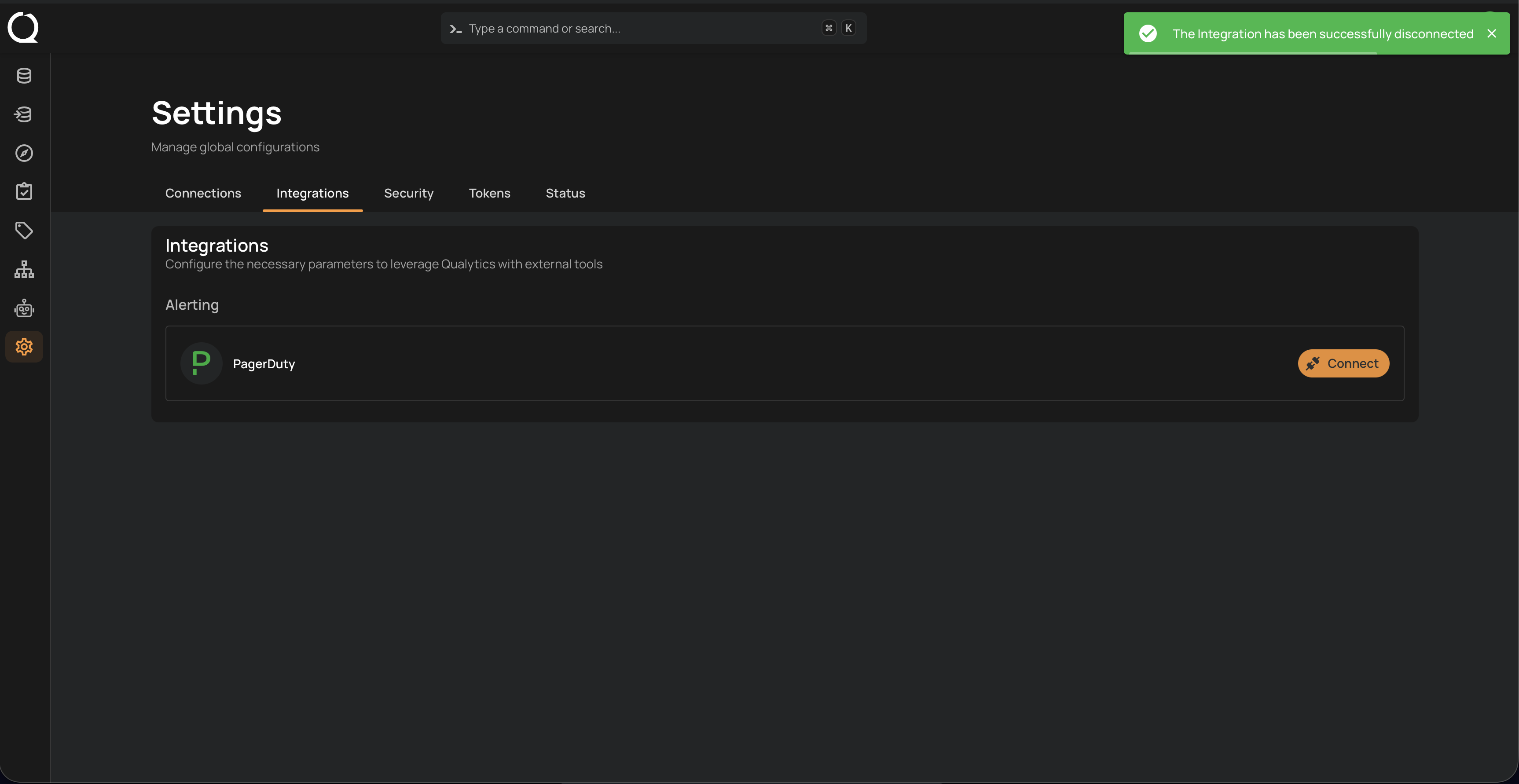
A confirmation message will appear on the screen displaying "The Integration has been successfully disconnected".