Edit PagerDuty Integration
Editing the PagerDuty integration allows you to update the Routing Key, for example when the key has been rotated or you want to route events to a different PagerDuty service.
Edit Integration
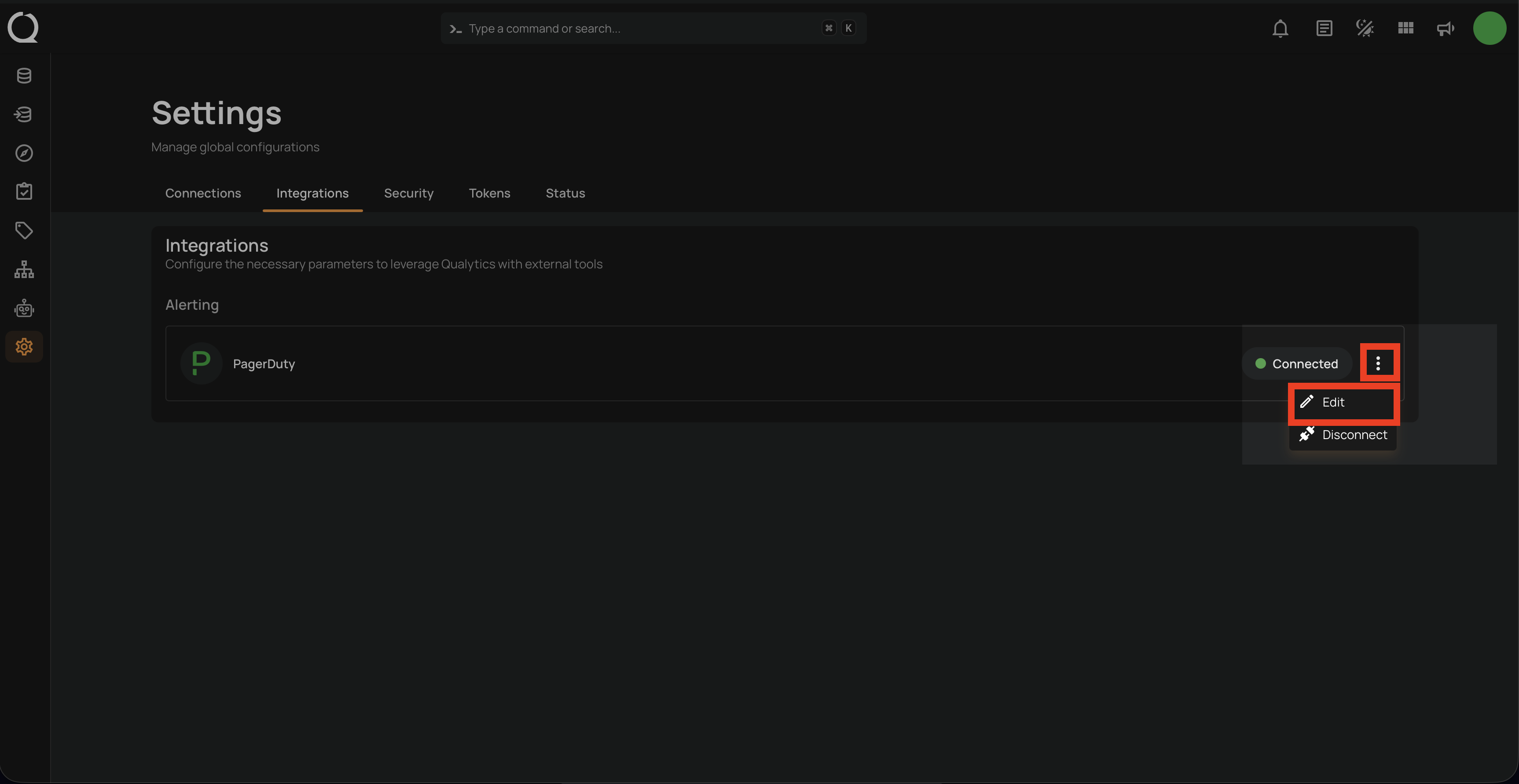
Step 1: Click on the vertical ellipses(⋮) next to the Connected button and select the Edit option.
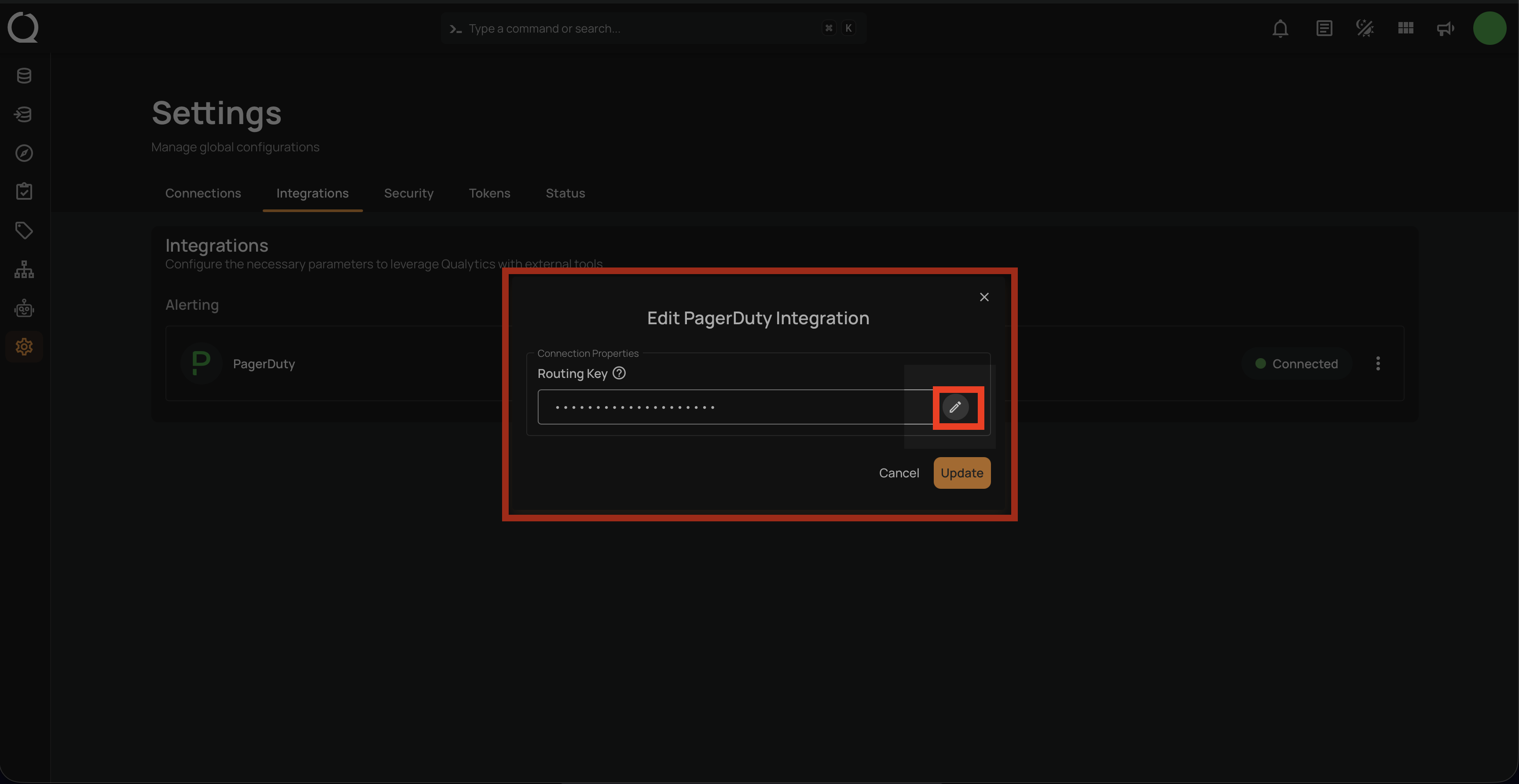
Step 2: A modal window Edit PagerDuty Integration will appear providing you with options to edit the connection properties.
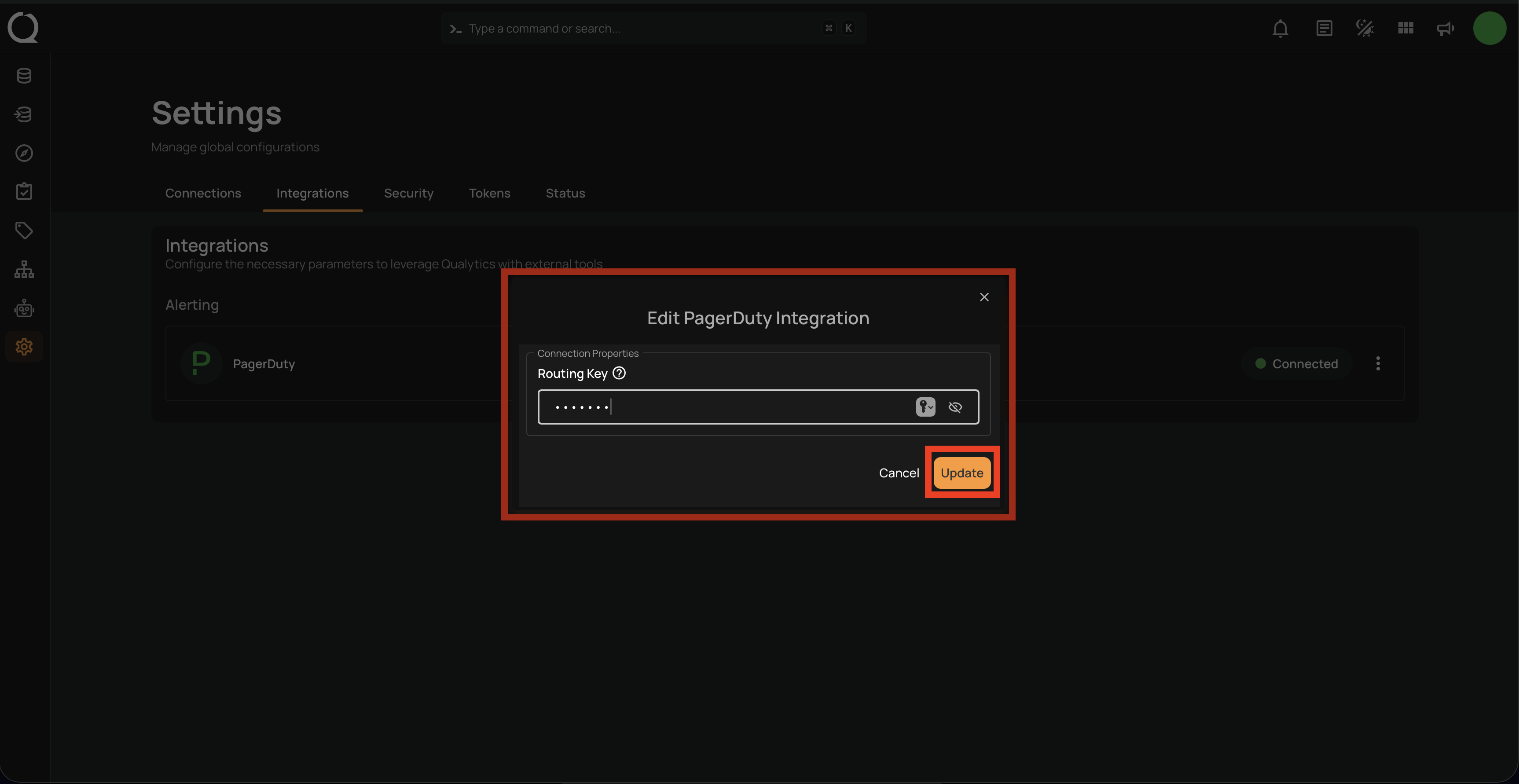
Step 3: After editing the connection properties of the PagerDuty integration, click on the Update button to apply the changes.
Note
Qualytics validates the updated Routing Key before saving the changes. If the key is invalid, the update will fail with an error.
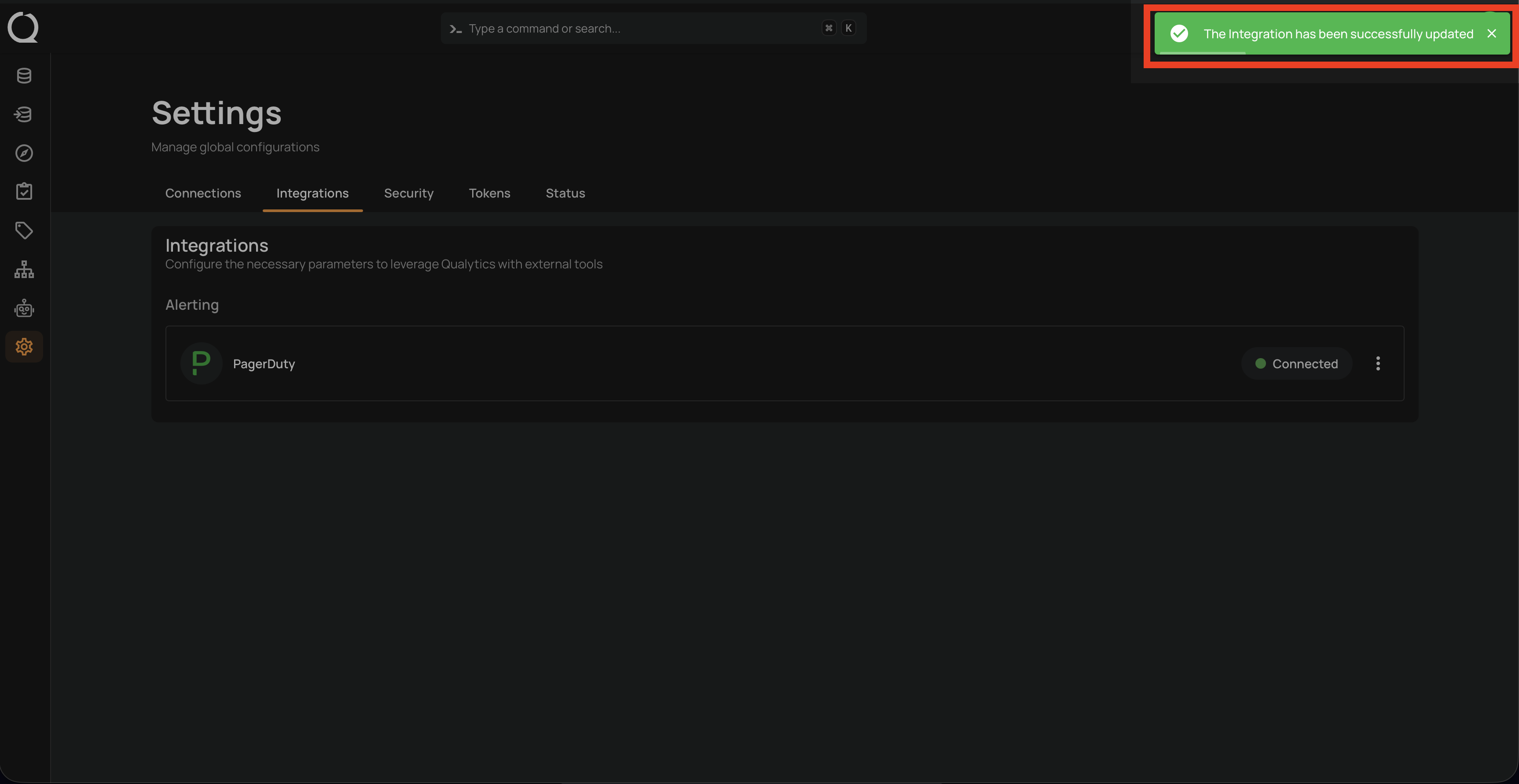
A confirmation message will appear on the screen displaying "The Integration has been successfully updated".