Delete
Delete allows you to remove a table from the connected source datastore. While the table and its associated data will be deleted, it is not permanent, as the table can be recreated if you run a sync with the "recreate" option.
Note
Deleting a table is a reversible action if a sync with the "recreate" option is run later.
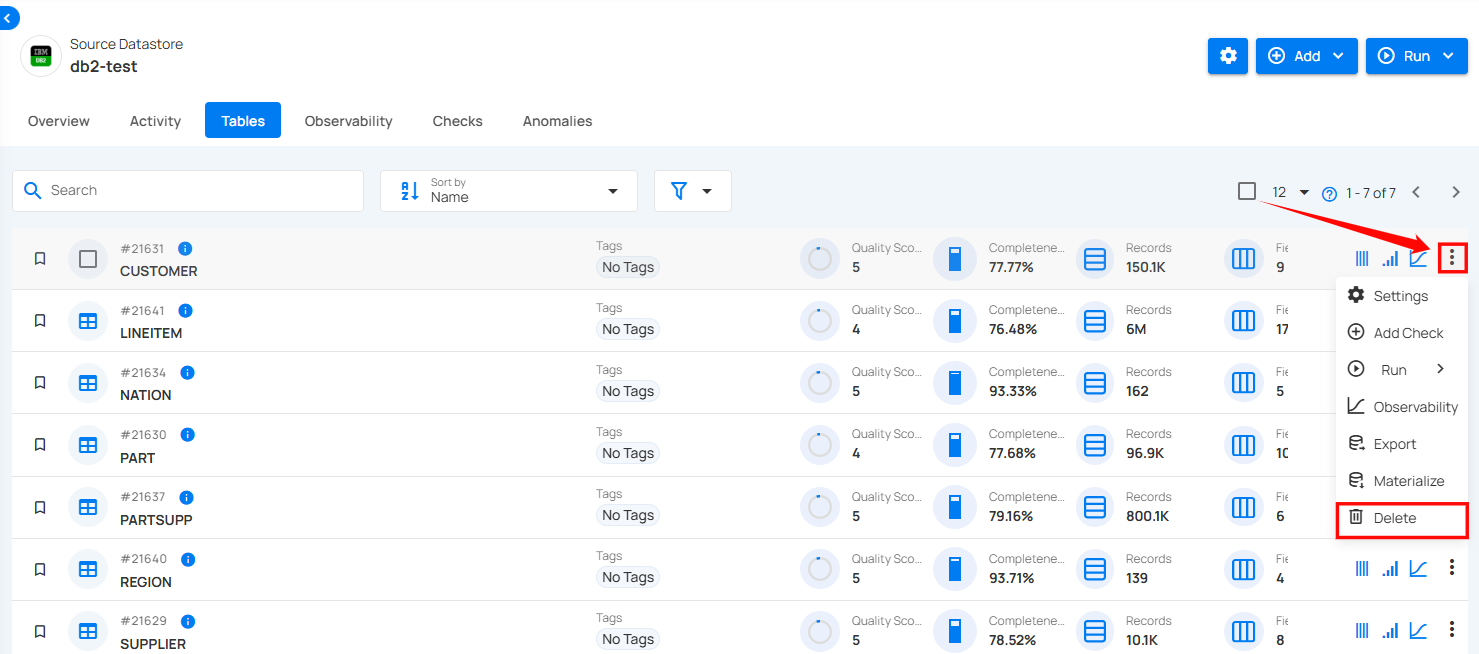
Step 1: Select the tables in your connected source datastore that you would like to delete, then click on Delete.
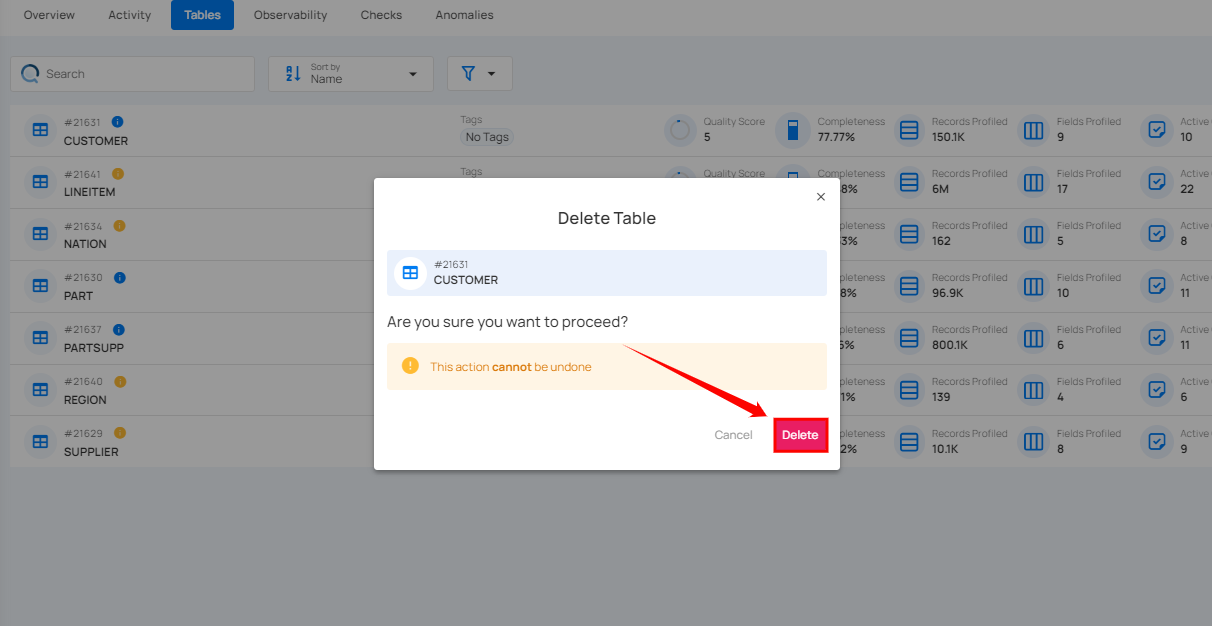
Step 2: A confirmation modal window will appear; click on the Delete button to remove the table from the system.
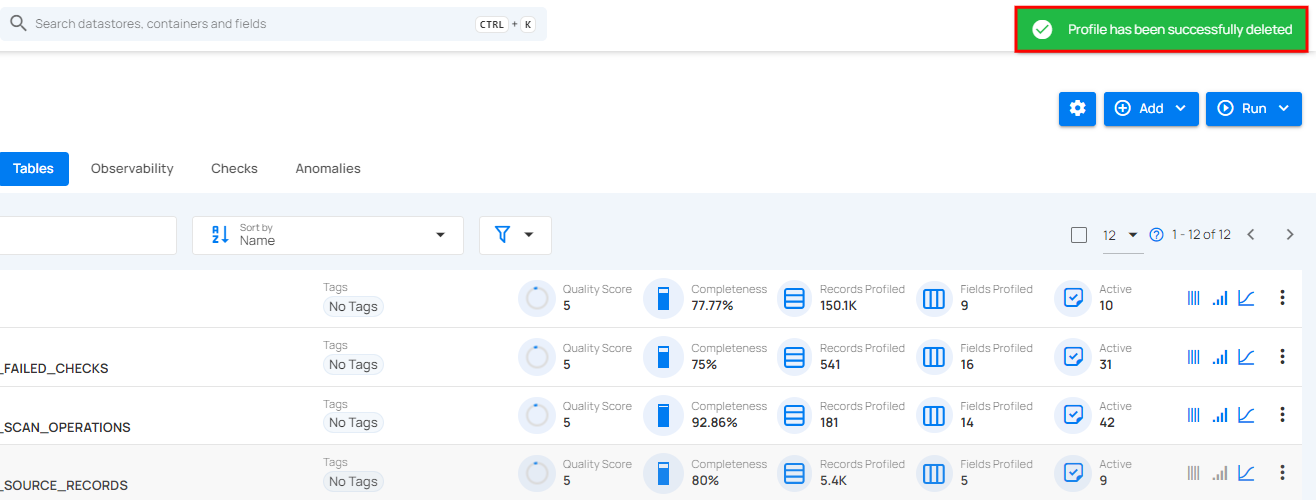
Step 3: After clicking on the delete button, your table is successfully deleted and a success flash message will appear saying "Profile has been successfully deleted"