Generate Service Token
Service Tokens are generated when you create a Service Account or manually through the Tokens management page. These tokens are essential for automating API interactions and securely authenticating requests made by your automated systems.
Let’s get started 🚀
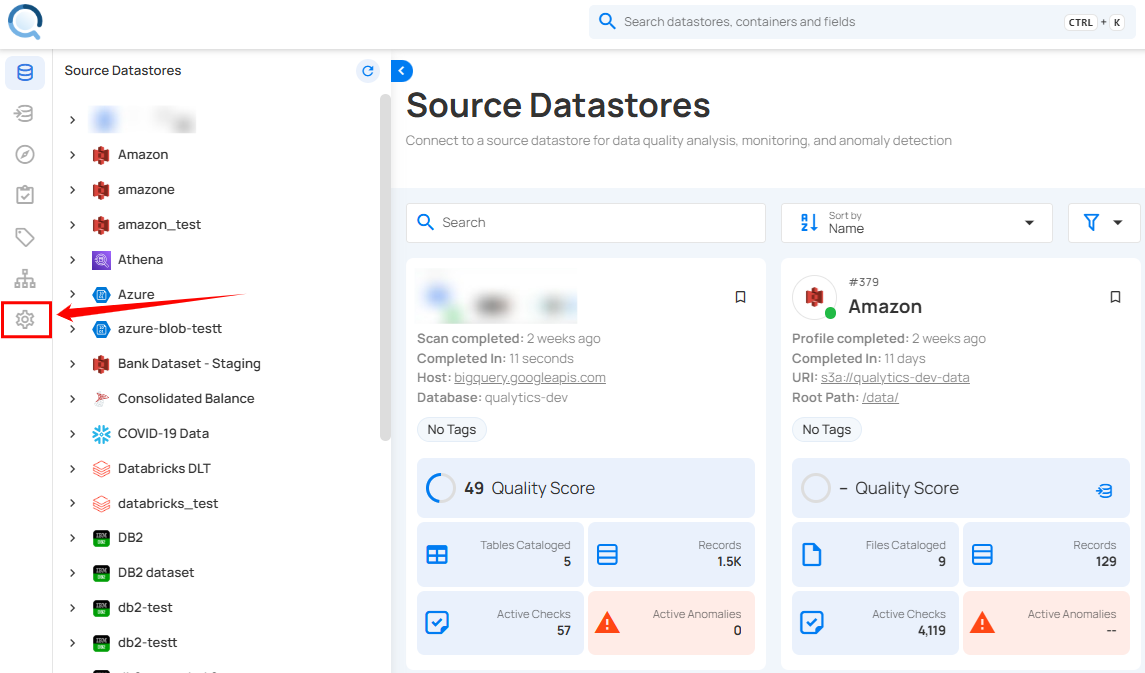
Step 1: Log in to your Qualytics account and click the Settings button on the left side panel of the interface.
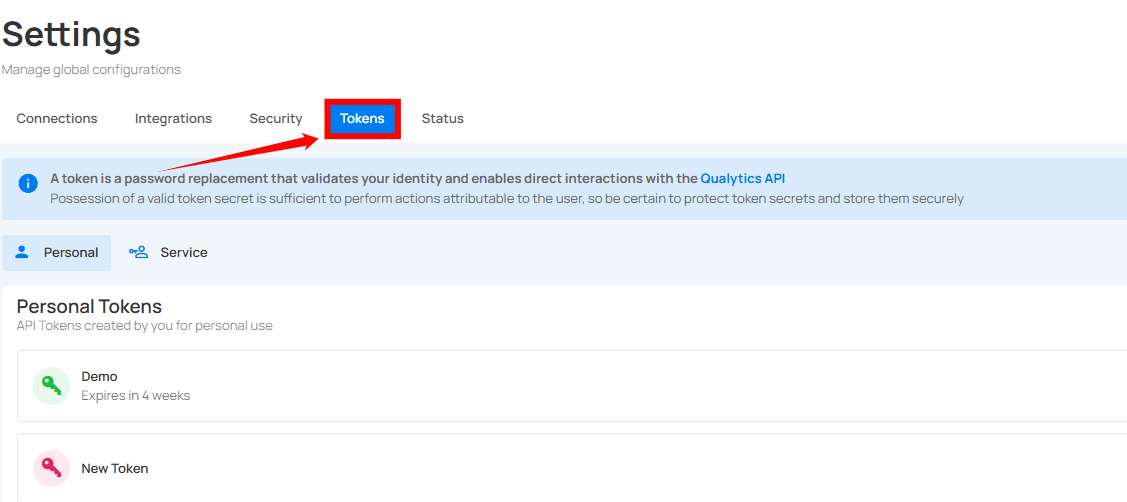
Step 2: By default, you will be navigated to the Connections section. Click on the Tokens tab.
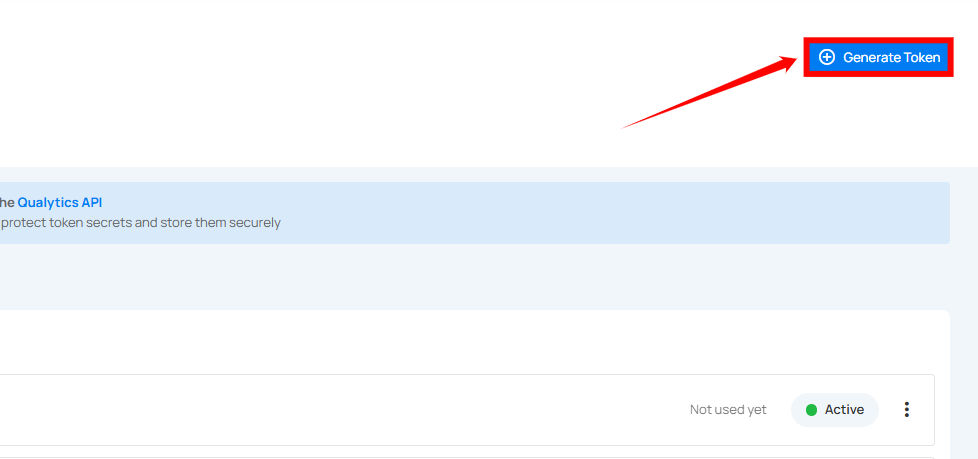
Step 3: Click on the Generate Token button located in the top right corner.
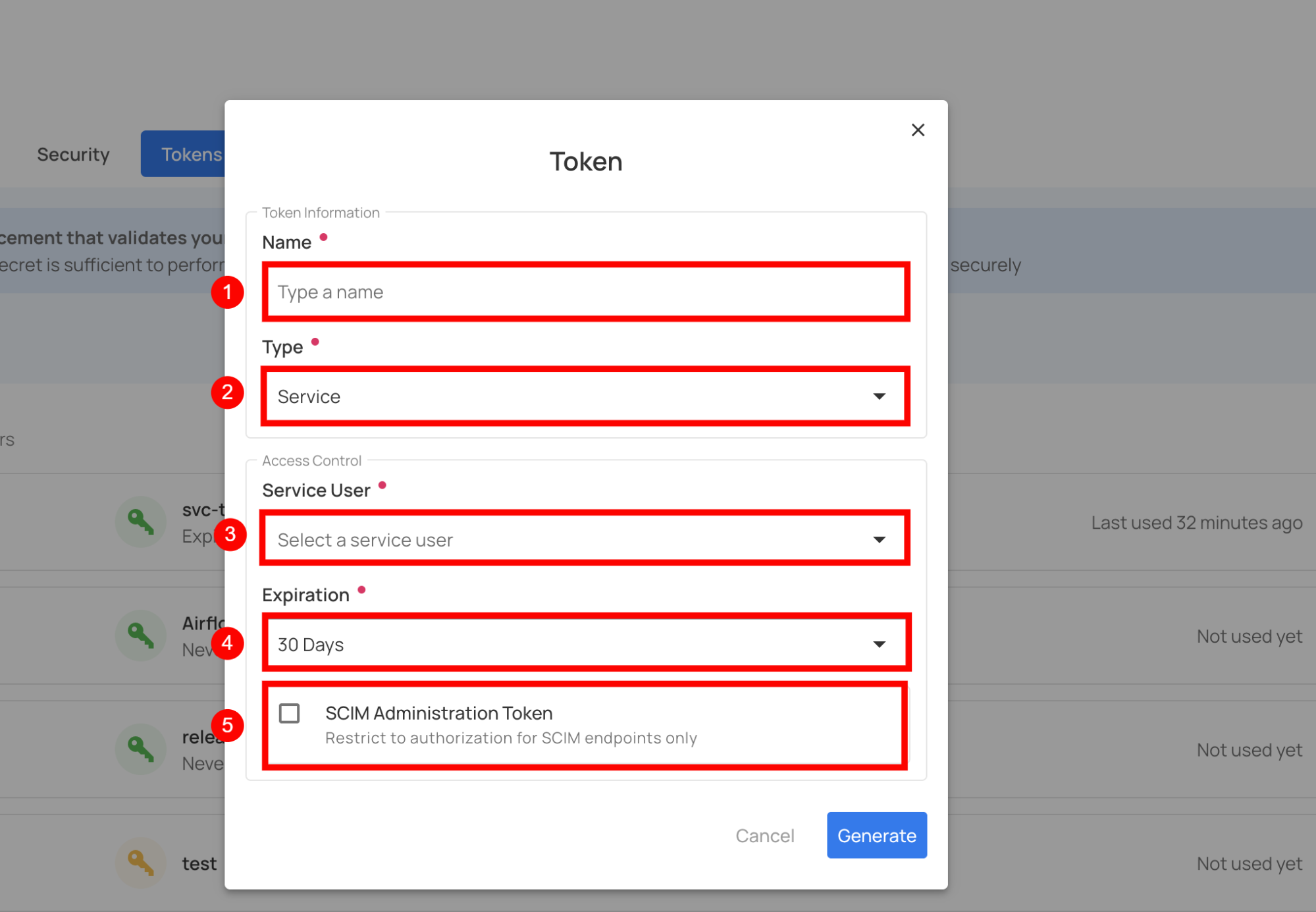
A modal window will appear, providing the options for generating the token.
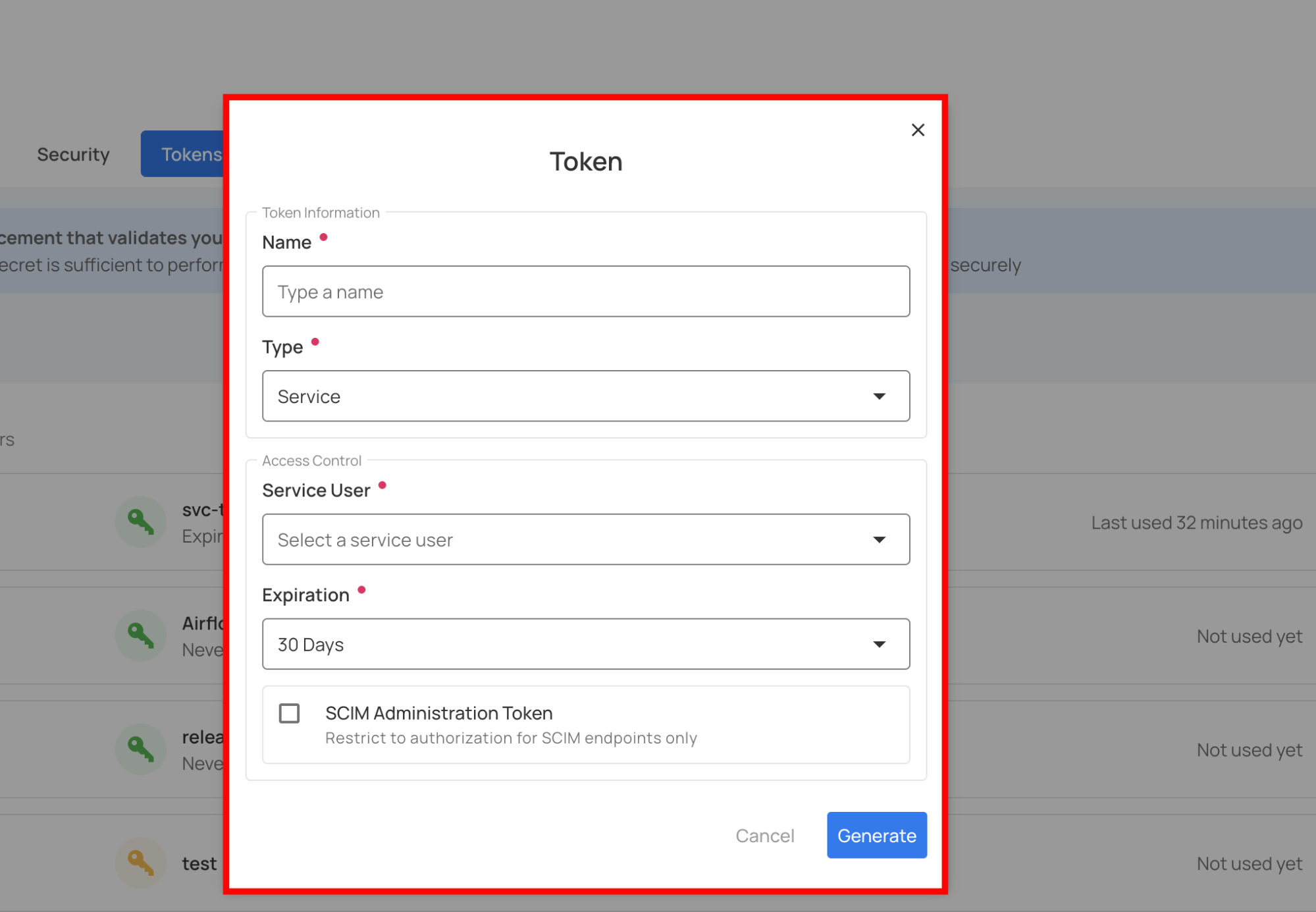
Step 4: Enter the following values:
| No. | Field | Description | Required |
|---|---|---|---|
| 1 | Name | Enter a descriptive name for the token (e.g., "svc-token-prod", "api-access-prod"). | Yes |
| 2 | Type | Select Service for a service account token. | Yes |
| 3 | Service User | Select the service user for which you want to create the token. | Yes |
| 4 | Expiration | Select the expiration period (e.g., 30 Days, 1 Year, Never). | Yes |
| 5 | SCIM Administration Token | Check this box if the token should be restricted to SCIM endpoints only. | Optional |
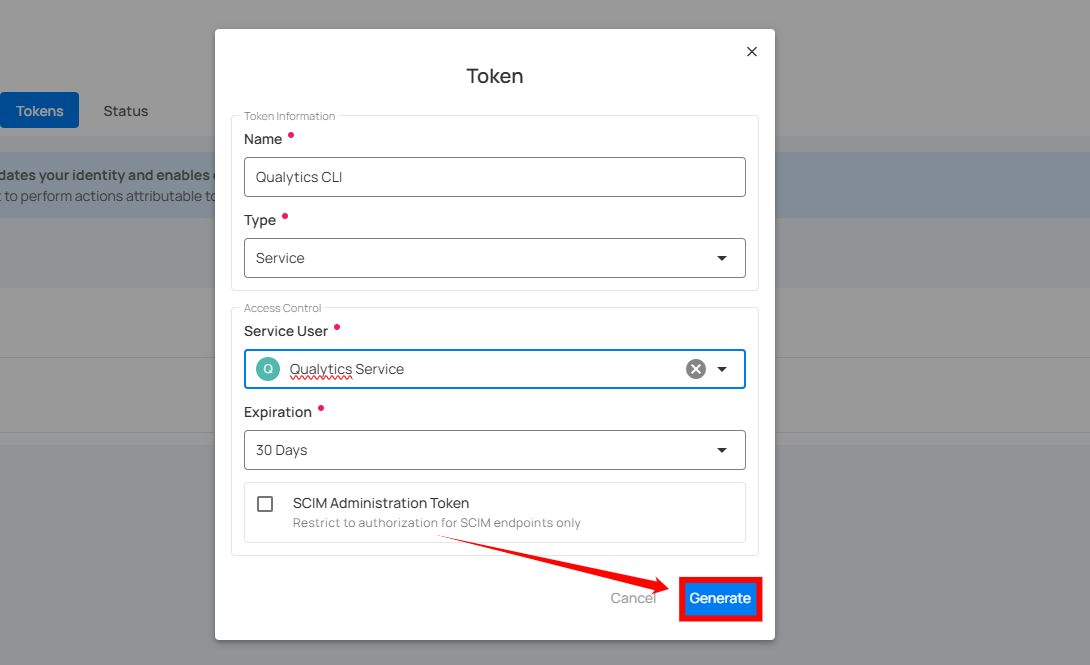
Step 5: Once you have entered the values, click on the Generate button.
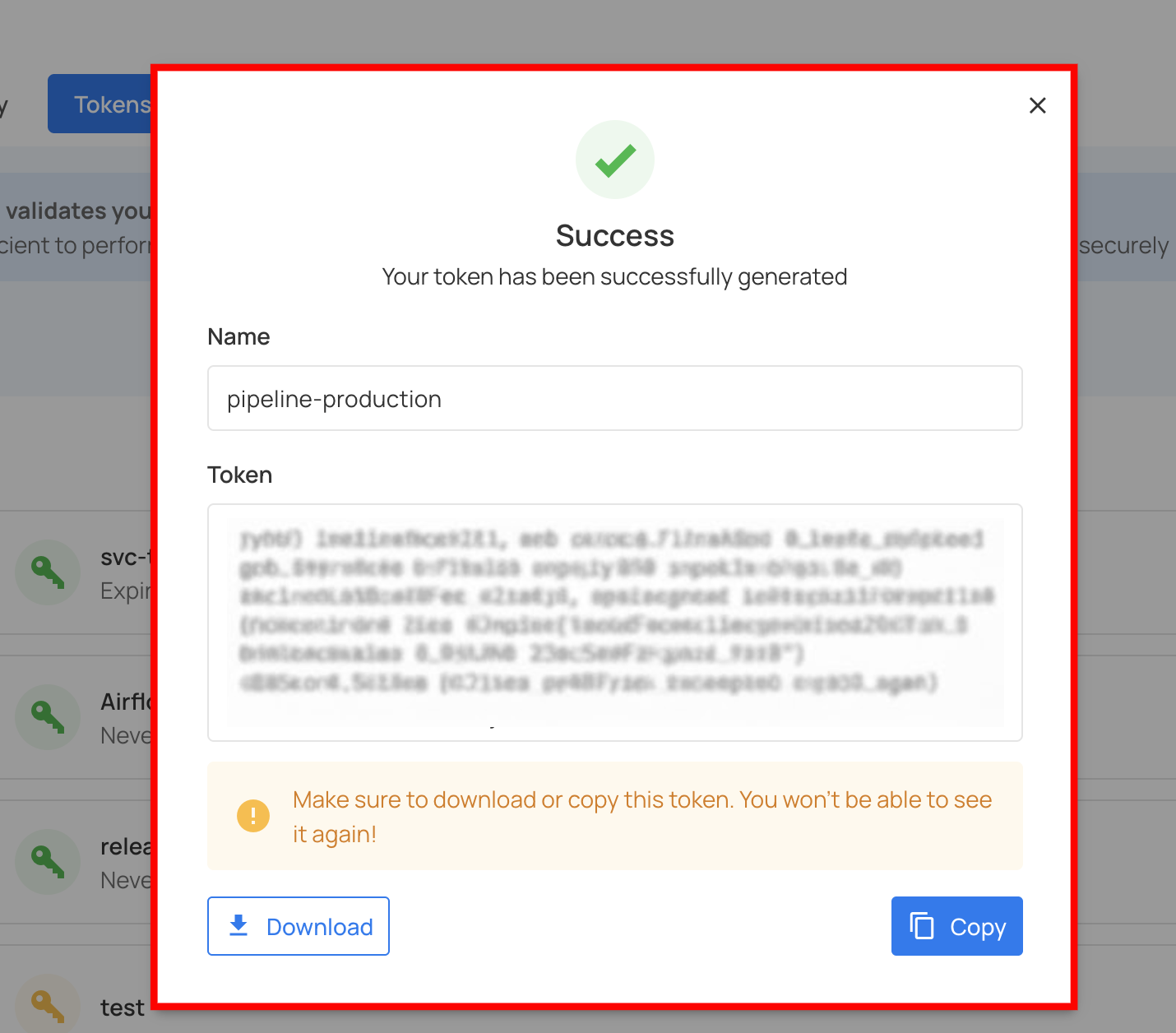
Step 6: After clicking on the Generate button, your token is successfully generated.
Warning
Make sure to download or copy this token. You won't be able to see it again. Keep your token confidential and avoid sharing it with anyone. Use a password manager or an encrypted vault to store your tokens.
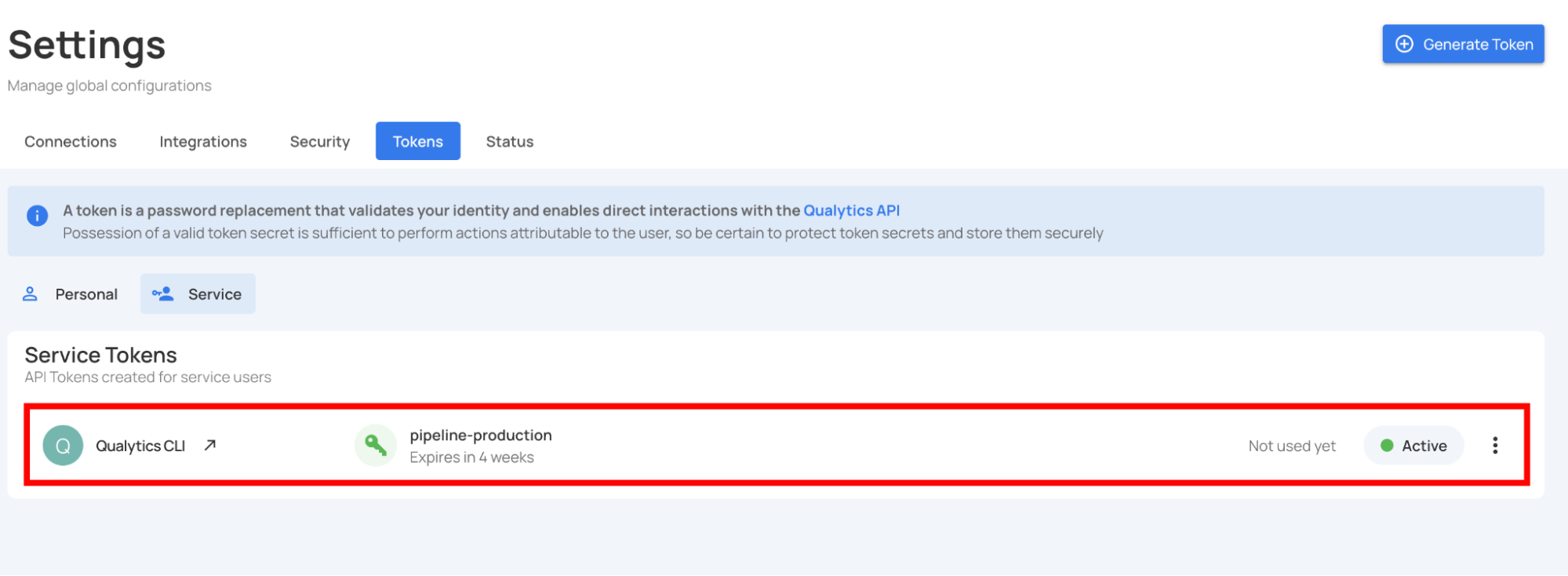
Step 7: After copying the token, you can close the modal. The token will now appear in the service tokens list.
Usage of Service Tokens
Once generated, include the service token in the Authorization header of all API requests:
curl -H "Authorization: Bearer eyJhbGciOiJIUzI1NiIsInR5cCI6IkpXVCJ9..." \
  https://acme.qualytics.io/api/datastores
Example Python Usage:
import requests

QUALYTICS_TOKEN = "eyJhbGciOiJIUzI1NiIsInR5cCI6IkpXVCJ9..."
QUALYTICS_API = "https://acme.qualytics.io/api"

headers = {
    "Authorization": f"Bearer {QUALYTICS_TOKEN}",
    "Content-Type": "application/json"
}

response = requests.get(f"{QUALYTICS_API}/datastores", headers=headers)
print(response.json())
Creating a Service Token via API
Endpoint:
Request Body:
Response:
{
  "id": 456,
  "name": "api-production",
  "active": true,
  "expiration": "2026-11-05T12:34:56Z",
  "bearer_token": "eyJhbGciOiJIUzI1NiIsInR5cCI6IkpXVCJ9...",
  "user": {
    "id": 123,
    "user_id": "api_access@service",
    "name": "API Access",
    "user_type": "Service"
  }
}
Danger
Save the bearer_token immediately! It cannot be retrieved later.